

Black Forest Labs released FLUX 3 Image on October 1, 2026. The new model generates and edits still images, combines up to 10 references, and supports native high-resolution output through 4K. Its most distinctive feature is control: you can specify where elements belong, then change selected parts of an image while aiming to preserve the rest.
For designers, creators, and teams making marketing assets, that means more than another way to generate an attractive picture. FLUX 3 Image brings composition planning, reference-based creation, and targeted revision into the same model. Here are its six main capabilities, what they are useful for, and the limits worth knowing before you try it.
Based on Black Forest Labs' October 1 release notes and current product documentation, checked October 3, 2026. This is a capabilities overview, not a hands-on benchmark. The illustrations are original explanatory diagrams, not FLUX 3 outputs.
What is FLUX 3 Image?
FLUX 3 Image is the still-image generation and editing offering in Black Forest Labs' FLUX 3 family. The broader family was announced in July, but this October release makes the image model available for image creation and revision. FLUX 3 Video and its audio features are separate capabilities; generating an image does not also generate a video.
You can start from a written description, upload a picture to change it, or supply several references for a new composition. The official Playground provides a visual entry point, while the BFL API supports generation and editing through one endpoint.
| Capability | What it lets you do | Where it is useful |
|---|---|---|
| Image generation and text rendering | Create photographs, illustrations, posters, and images containing text | Campaign concepts, editorial art, social graphics |
| Bounding-box layouts | Assign positions and space to important elements | Posters, collages, covers, panel grids |
| Targeted image editing | Recolor, replace, move, resize, or remove selected elements | Revisions to an image you already like |
| Up to 10 reference images | Combine subjects, products, settings, and styles | Product scenes, character work, visual consistency |
| Native output through 4K | Generate a larger image with more room for detail | Large visuals and crops |
| Search grounding | Allow web and image research to inform generation | Briefs involving recognizable real-world subjects |
1. Generate images across styles, with text as part of the design
FLUX 3 Image handles ordinary text-to-image requests without requiring layout boxes. Describe the subject, setting, lighting, and intended visual style. Official examples span photographic scenes, fashion imagery, graphic illustration, and poster design.
Text is part of that capability. BFL's current guide demonstrates multi-line typography and text in multiple languages, including Japanese and English in one design. This matters for posters, covers, signage, and graphics where the words are part of the image rather than a caption added afterward.
A useful way to approach it is to specify the exact words, their placement, and their visual treatment. For example, a brief might ask for a short title at the top of a poster, with a particular weight and color. That is more actionable than asking for “beautiful typography.” Our prompt collection can help you develop the visual direction, which you can then adapt to the model.
Text rendering still needs proofreading. Check spelling, punctuation, small print, and reading order in the actual output. A model's ability to render a script does not establish equal accuracy for every language or every length of text.
Source: Black Forest Labs, Style, Aesthetics & Text.
2. Control composition with bounding boxes
This is one of the release's clearest reasons to pay attention. Instead of hoping that “put the title on the left” gives you the right balance, you can assign regions to a title, a person, an object, or an individual panel.
In the Playground, you can draw boxes. In an API prompt, the scene description is followed by an element table containing each element's name, description, and box. Coordinates use a 0–1000 grid in the order [top, left, bottom, right].
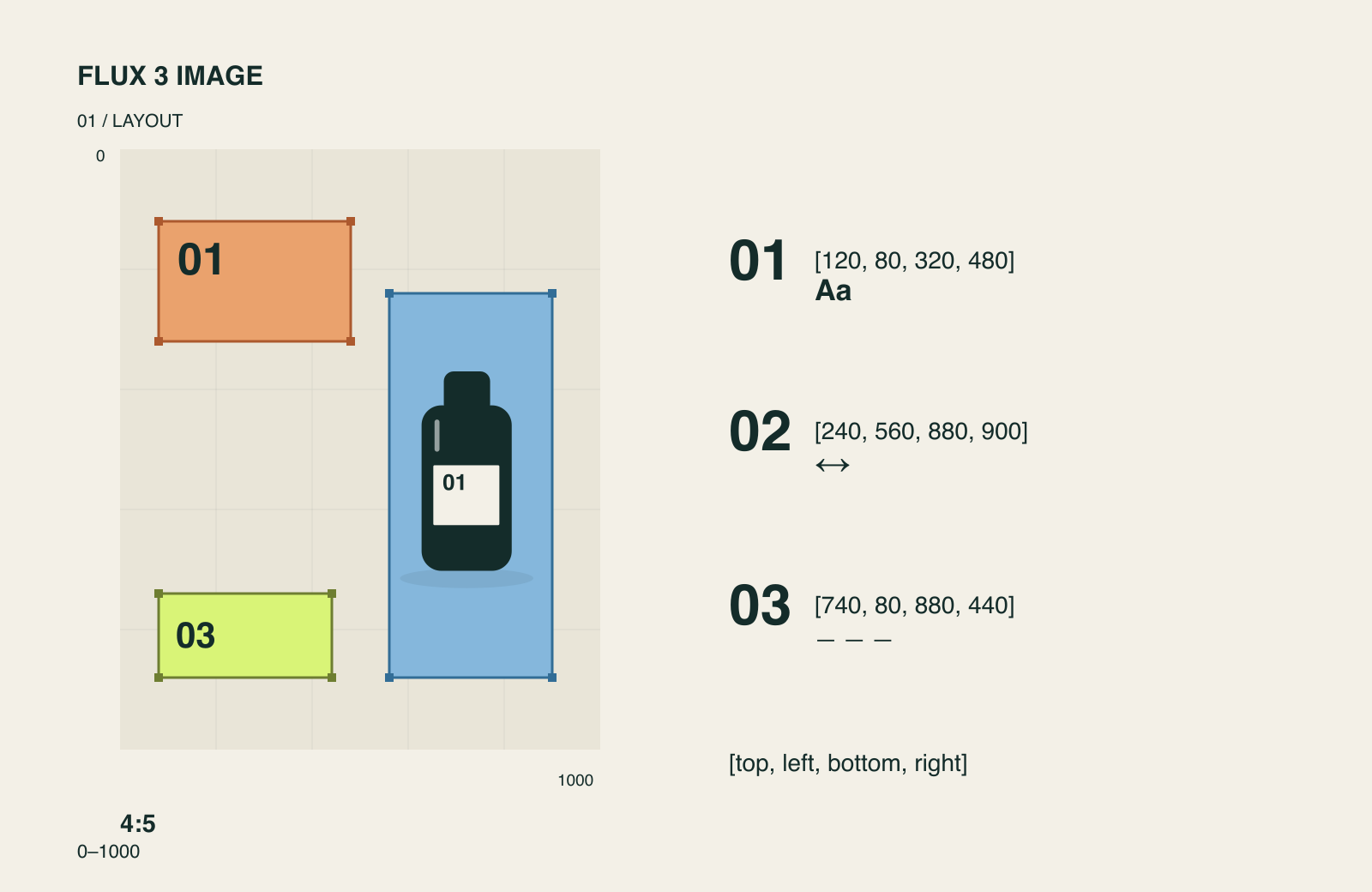
Original diagram of layout control. Each colored region represents a separately described element; it is not a screenshot or a generated result.
The benefit is practical: a headline can have its own space, a collage can have a planned hierarchy, and a crowded image can assign positions to several subjects. This is particularly relevant when a visual must communicate a message, not merely look appealing.
Boxes are placement guides, not hard clipping masks. BFL's documentation says elements can extend beyond their regions. The layout still needs a visual check, especially where text and subjects sit close together.
Source: Black Forest Labs, Bounding boxes with FLUX 3 Image.
3. Make local edits while preserving the surrounding image
FLUX 3 Image can revise an existing picture through a written instruction. The release notes describe recoloring, replacing, moving, resizing, and removing elements, including several edits in a single request.
That is useful when the overall image works but one part does not: a garment needs a new color, an object needs a different position, or a distracting prop should disappear. It reduces the need to describe and regenerate the whole scene for each revision.
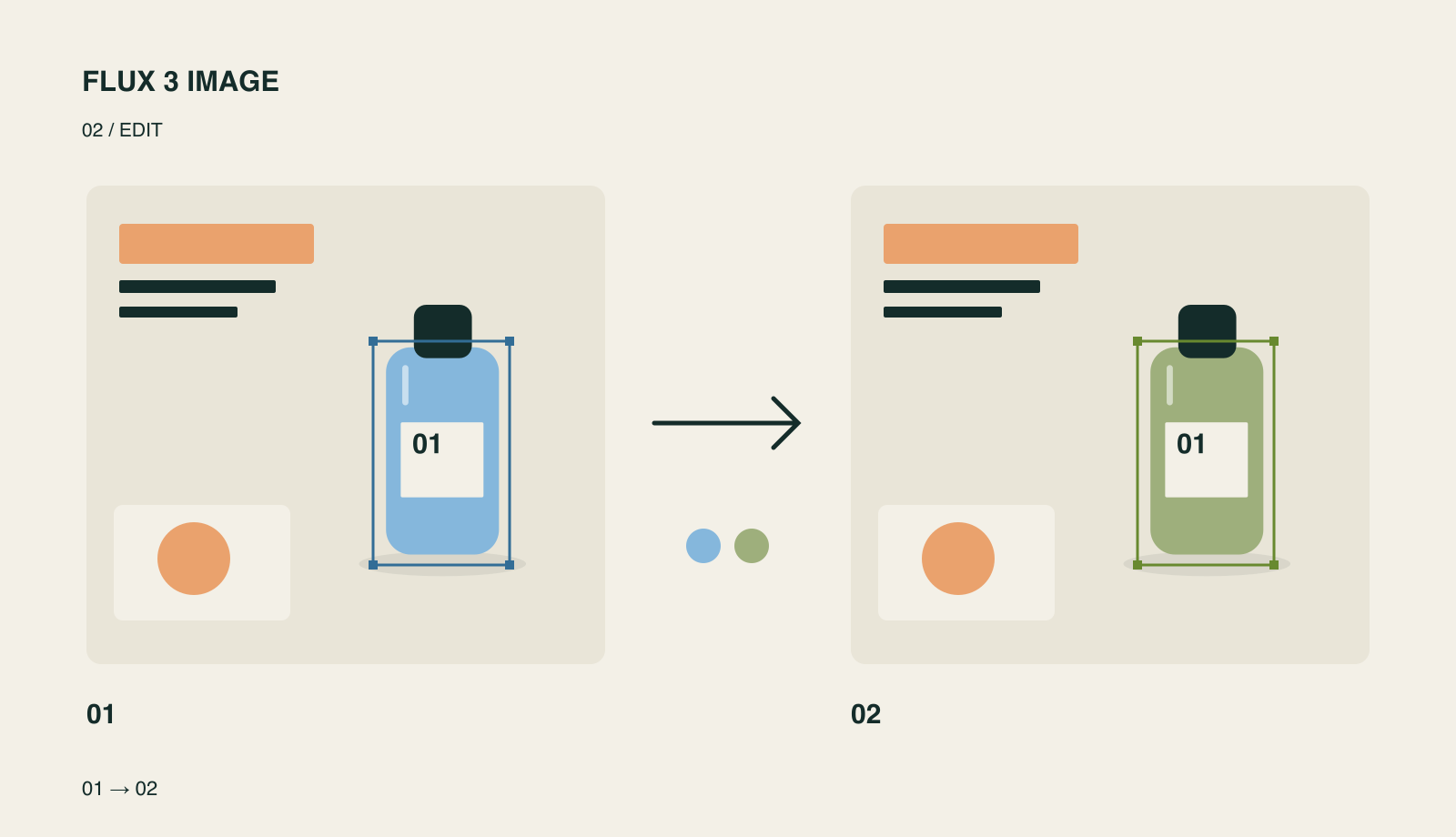
Original illustration of the intended local-edit behavior. The highlighted object changes; the surrounding layout is meant to remain stable. This is not a measured preservation result.
BFL markets this as pixel-exact editing, and its documentation shows examples of unchanged pixels outside edited regions. The detailed guide also uses the qualifier “usually.” Treat preservation as a capability to verify on your own image, especially around faces, logos, fine textures, and shadows.
For a useful first trial, choose an image you already like and request one clear change. Compare the surrounding details as carefully as the changed object. That tells you more about editing quality than generating an unrelated second picture.
Sources: Black Forest Labs, October 1 release notes and Bounding boxes with FLUX 3 Image.
4. Combine up to 10 references in one composition
Multiple references let you separate what each source contributes. One can supply a character, another a product, a third a location, and another a visual style. FLUX 3 Image can use up to 10 reference images in a request.
The key is to assign roles rather than simply asking it to combine everything. “Use the product from image 1 in the room from image 2, with the lighting style of image 3” gives each reference a job. It is a useful approach for product scenes, fashion concepts, recurring characters, and visual development.
References should not be treated as a guarantee of exact reproduction. Compare the details that matter: a person's identity, a product's proportions, packaging text, or an item's material. More references are useful only when they add relevant information.
The official API accepts references from 256 × 256 pixels up to 16 megapixels each. When the aspect ratio is set to auto, the first reference determines the output shape. Choose an explicit ratio if the finished image needs a different format.
Source: Black Forest Labs, Multi-Reference Editing.
5. Generate native high-resolution images through 4K
BFL describes native 2K and 4K rendering: the model generates the larger image itself. That is different from taking a small finished image and enlarging it afterward. The extra pixel area can be useful for textures, small scene details, and crops.
Here, the labels describe approximate pixel area, not a fixed video frame size. The 4k class is about 16 megapixels; BFL's product page shows a 5456 × 3072 example. Do not assume every 4K image will be 3840 × 2160.
| Output class | Documented scale | Practical starting point |
|---|---|---|
768sq | 768 × 768 pixels | Square previews |
1k | About 1 megapixel | Early concepts and web images |
2k | About 4 megapixels | Larger visuals and moderate crops |
4k | About 16 megapixels | Detail-heavy delivery and larger crops |
The current API schema also includes 1.5k; check the selected service for its available sizes and pricing. The model supports 15 fixed aspect ratios, from wide to tall, plus auto.
Changing resolution creates a new generation, so the composition can change. If you need to keep a chosen image's composition, compare native regeneration with upscaling the existing image, then inspect details in both. A higher pixel count alone does not resolve an incorrect label or a distorted hand.
Sources: Black Forest Labs, FLUX 3 Image product page, Technical Parameters, and current API reference.
6. Use web and image search to inform generation
The BFL API includes a grounding option, enabled by default. According to the API reference, it allows the prompt to be informed by external research using web and image search. Setting it to false turns both off.
This is relevant when a brief refers to recognizable places, objects, or other real-world subjects. Search can provide context beyond the wording of the prompt. It is an assistance mechanism, however, not proof that every depicted detail is accurate or current.
For a fictional concept, references you supply may be more useful than outside research. For a real-world subject, check recognizable features and any factual text in the result. This distinction helps you decide whether grounding is useful for the job.
Source: Black Forest Labs, FLUX 3 Image API reference.
Where can you try it, and what does it cost?
FLUX 3 Image is available through Black Forest Labs' Playground and API. For developers, the image endpoint is /v1/flux-3-image; the prompt and supplied images determine whether it generates or edits, with no separate mode field.
BFL's release notes and pricing documentation list base per-image prices of $0.041 for 768sq, $0.048 for 1k, $0.100 for 2k, and $0.607 for 4k. These were checked on October 3, 2026. Launch promotions and third-party services may charge differently, so use the current quote from your chosen provider. These dollar rates are not Nano Banana credit prices.
Our FLUX 3 page brings together the model's background and related updates. For the capabilities described here, select a service that explicitly offers FLUX 3 Image and the controls you need.
Who should pay attention to this release?
FLUX 3 Image is worth exploring if your bottleneck is controlling and revising a visual: fitting several elements into a composition, combining reference material, or changing one part without losing the rest. Designers making posters and covers, teams producing campaign assets, and creators working with recurring subjects have clear use cases to evaluate.
For a first evaluation, look at three things: whether the layout follows your brief, whether references retain the details you care about, and whether an edit preserves its surroundings. Those checks make the model's new capabilities meaningful for your own work.