

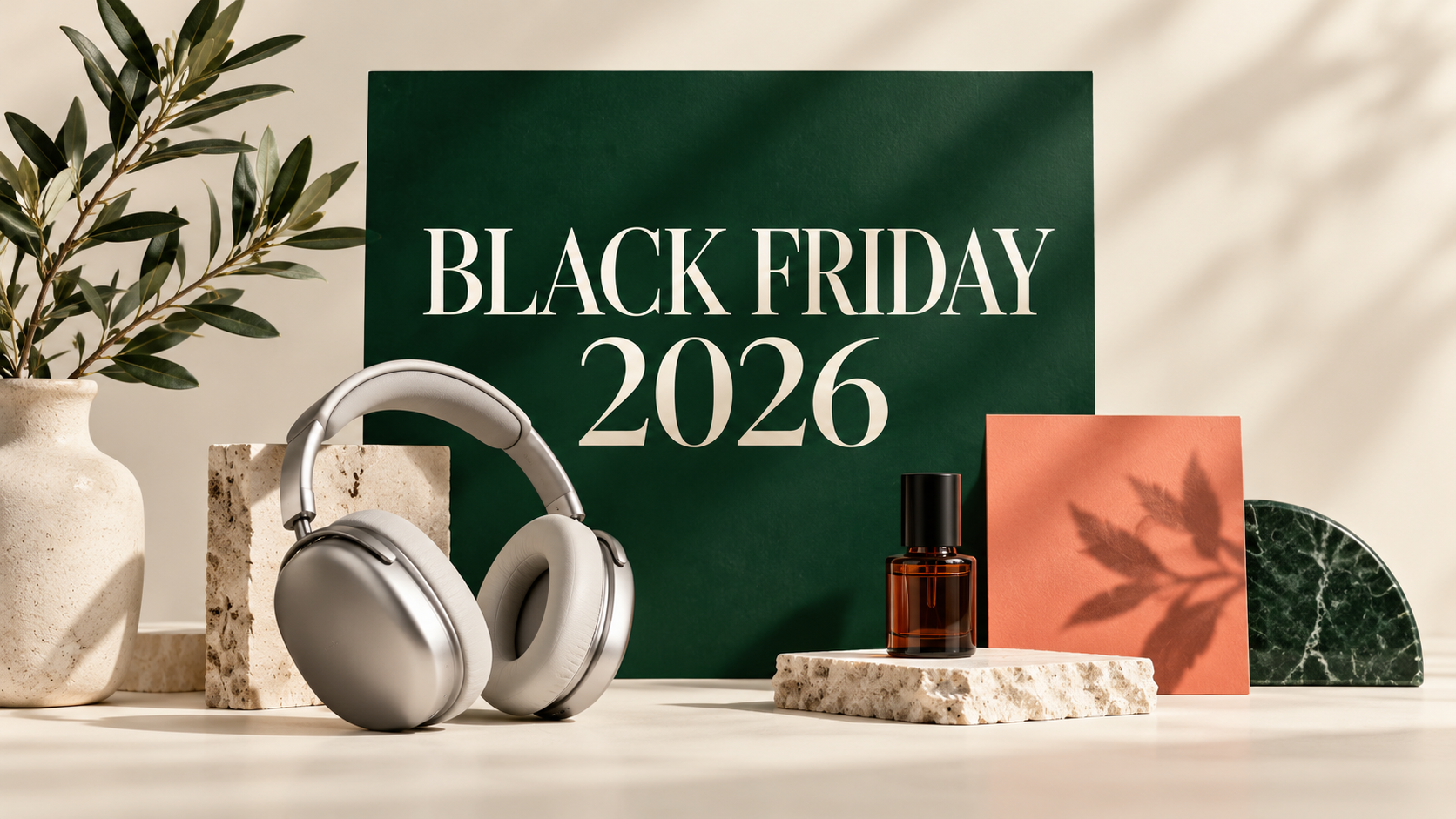
Black Friday 2026 falls on November 27. If you run an online store, a small brand, or its social accounts, you can prepare on two fronts: review the Nano Banana Black Friday offer preview, then use the Black Friday poster maker to prepare product posters, store banners, and social images.
The planned Nano Banana offer is 50% off the first month of a monthly subscription, or 50% off the first year and every annual renewal. As of October 30, 2026, the campaign is not live; its schedule and redemption instructions have not been announced. You can prepare your creative now and check the campaign page for the final offer later.
What is the Nano Banana Black Friday offer?
The two planned discounts suit different production schedules. The main distinction is what happens at renewal.
| Subscription | Planned introductory offer | Renewal terms | A useful fit to consider |
|---|---|---|---|
| Monthly | 50% off the standard price for the first month | Standard monthly price from month two | Preparing a campaign, then continuing month by month as needed |
| Annual | 50% off the standard annual price for the first year | The 50% discount continues at every annual renewal | Creating product images, ads, and social content throughout the year |
The annual offer remains a subscription billed each year. It is not a one-time payment for lifetime access. Eligible plans, rules for new and existing customers, promotion stacking, and whether a coupon code is required are still to be confirmed.
To estimate your creative budget, compare current plans and credit options. That page shows current prices; opening it does not activate the upcoming Black Friday discount. Any purchase made now follows the price and terms shown at checkout. November 27 is the calendar date of Black Friday, not a confirmed start or end date for this campaign.
Give shoppers a reason to return before the sale starts
A teaser image should help people remember the product and find the next step. Before the offer is final, show a featured item, a gift selection, or your campaign theme with an action such as “Preview the collection.” Switch to sale messaging once prices and conditions are confirmed.
There are useful examples of this sequence. Samsung Newsroom France published its Black Friday preview on October 28, 2026, inviting shoppers to register for advance access to offers. A small store can adapt the underlying idea: give customers a clear destination before presenting the full promotion.
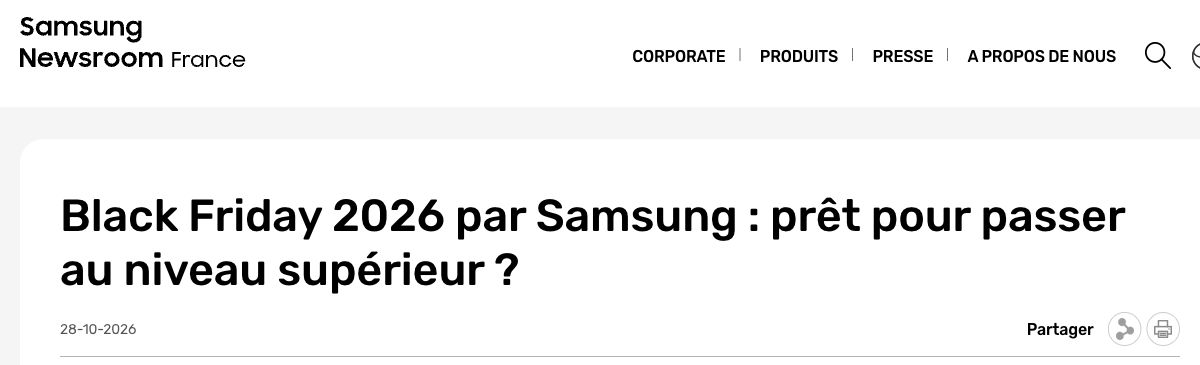
Source: Samsung Newsroom France, October 28, 2026. Captured October 30; the crop retains the publisher, headline, and date. This is an example of early campaign communication.
Shopify’s “Black Friday Email Campaigns: 15 Examples” also describes TANIT Botanics offering loyal customers an early opportunity to participate. That can inform a separate teaser for existing customers, provided your store actually has the eligibility rules and access window to support it.
Reference: Lizzie Davey / Shopify, July 28, 2026.
Here is a suggested production schedule for your store. It is separate from Nano Banana’s offer schedule.
| Suggested stage | Assets to prepare | Customer action |
|---|---|---|
| Now through November 8 | Choose the featured product, reference photos, and visual direction | Discover the product and save the campaign destination |
| November 9–15 | Publish teasers and prepare an existing-customer or subscriber version | View the preview; subscribe to a reminder if your store offers one |
| November 16–26 | Confirm offers, inventory, and terms; finish launch images in each format | Understand the offer and save a favorite product |
| November 27–30 | Publish launch or closing reminders according to your actual sale schedule | Visit the relevant product page and purchase |
Save “last day” messaging for a confirmed deadline. Dates, time zones, and offer conditions should agree across the image, accompanying copy, and landing page.
How to make Black Friday posters with Nano Banana
Sign in to use the studio with a product reference photo or a written description. It combines your copy, design direction, and chosen format into one generated image at a time, using your existing account credits.
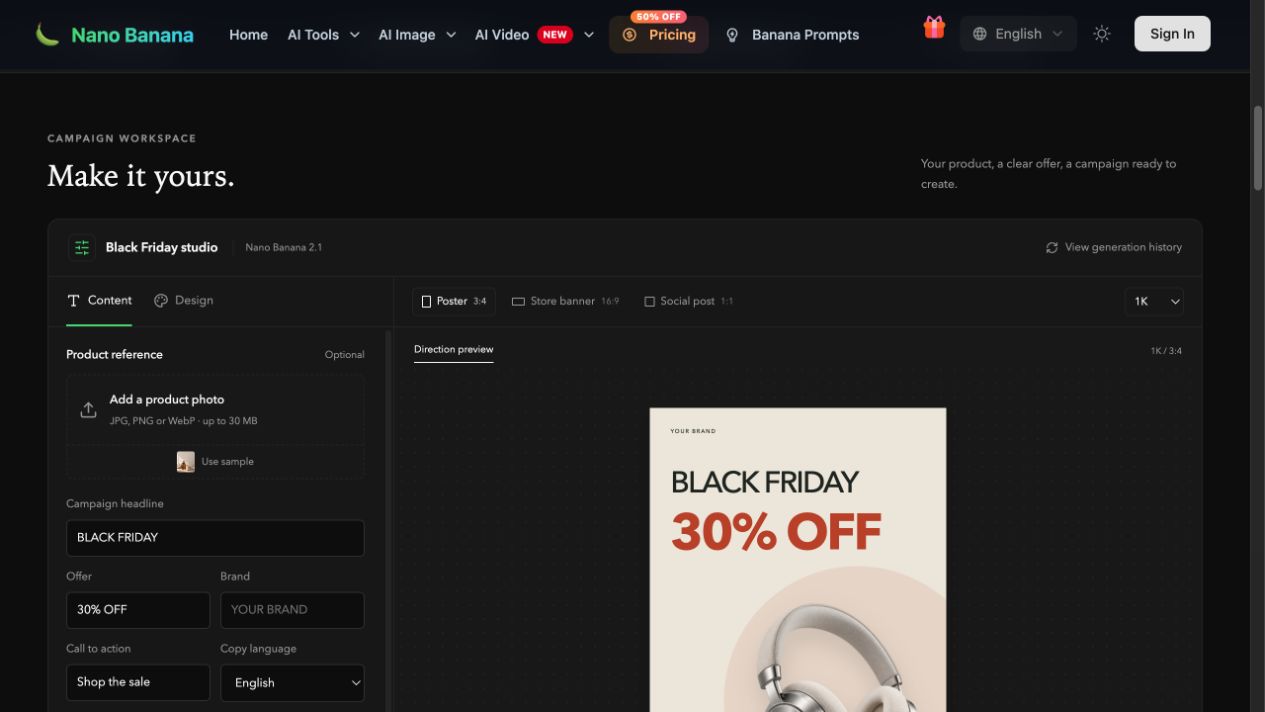
Partial interface screenshot, October 30, 2026. The right-hand image is a direction preview before generation. Its 30% OFF text is sample copy, unrelated to Nano Banana’s subscription offer.
1. Start with a recognizable product photo
Upload a JPG, PNG, or WebP up to 30 MB. Choose a photo that clearly shows the shape, color, packaging, and label. If the background competes with the product, you can first remove the product photo’s background.
For an existing item, a real reference photo gives you something concrete to check against. A text-only brief can help explore a concept, but the result still needs to match what you actually sell.
2. Separate visible copy from design instructions
The Content tab gives each part of the brief its own field:
- Campaign headline: establish whether this is a teaser or a live sale, such as “BLACK FRIDAY PREVIEW.”
- Offer: enter a confirmed discount or benefit, or leave it empty while details are pending.
- Brand: use your own brand name.
- Call to action: use “Preview the collection” before launch and “Shop the sale” when it is live.
- Copy language: select your audience’s language and enter the corresponding wording yourself.
- Art direction: describe the product, lighting, palette, and composition. These instructions guide the design without being printed as ad copy.
Place exact dates, eligible products, and offer restrictions prominently in your store page and accompanying copy. If a detail must appear in the image, include it in a visible copy field and check it word for word before downloading.
3. Choose a direction that suits the product
| Studio direction | Products to start with | What to check |
|---|---|---|
| Product editorial | Skincare, home goods, lifestyle products | Clear materials and a background that supports the product |
| Bold retail | Headphones, apparel, featured items | An obvious offer without losing product recognition |
| Night luxe | Premium products and gifts | Detail in dark areas and readable, contrasting type |
“Lead with the product” suits a teaser that introduces the item. “Lead with the offer” suits a launch image with a confirmed discount. Try both with the same reference photo and compare performance in your actual campaign.
4. Generate a separate composition for each placement
| Placement | Studio aspect ratio | Composition guidance |
|---|---|---|
| Poster | 3:4 | Group one featured product, the headline, and one offer |
| Store banner | 16:9 | Give copy and product their own areas; check your store’s mobile crop |
| Social post | 1:1 | Keep the product and main message readable at feed size |
Each format is generated separately and uses its own credits. Avoid stretching a portrait poster into a banner. Placements that require other ratios need further adaptation.
5. Check the direction before producing final versions
The workspace uses Nano Banana 2.1 and offers 1K, 2K, and 4K output. As of October 30, 2026, these cost 4, 8, and 12 credits per image respectively; check the current amount beside the Generate button.
For example, two versions in each of three formats means six 1K images, or 24 credits. That estimate excludes other tools and subsequent attempts. Start at 1K to review the direction, then generate a higher-resolution version of the selected brief if needed. Details can change when you generate again.
6. Review the product and wording before downloading
Check brand spelling, discount numbers, product color, item count, labels, the call to action, and small-screen readability. The download is a flattened image, not a layered design file. For further scene or detail changes, open the Nano Banana 2.1 image-editing workspace.
If the connection drops after submission, check your generation history or the original task’s status before submitting another image.
Three product briefs you can adapt
The following images are existing Nano Banana creative examples. They illustrate composition and messaging, not customer sales results. Their sample brand and 30% OFF copy are separate from Nano Banana’s subscription offer and your own promotion.
Headphones: make the product and offer easy to recognize
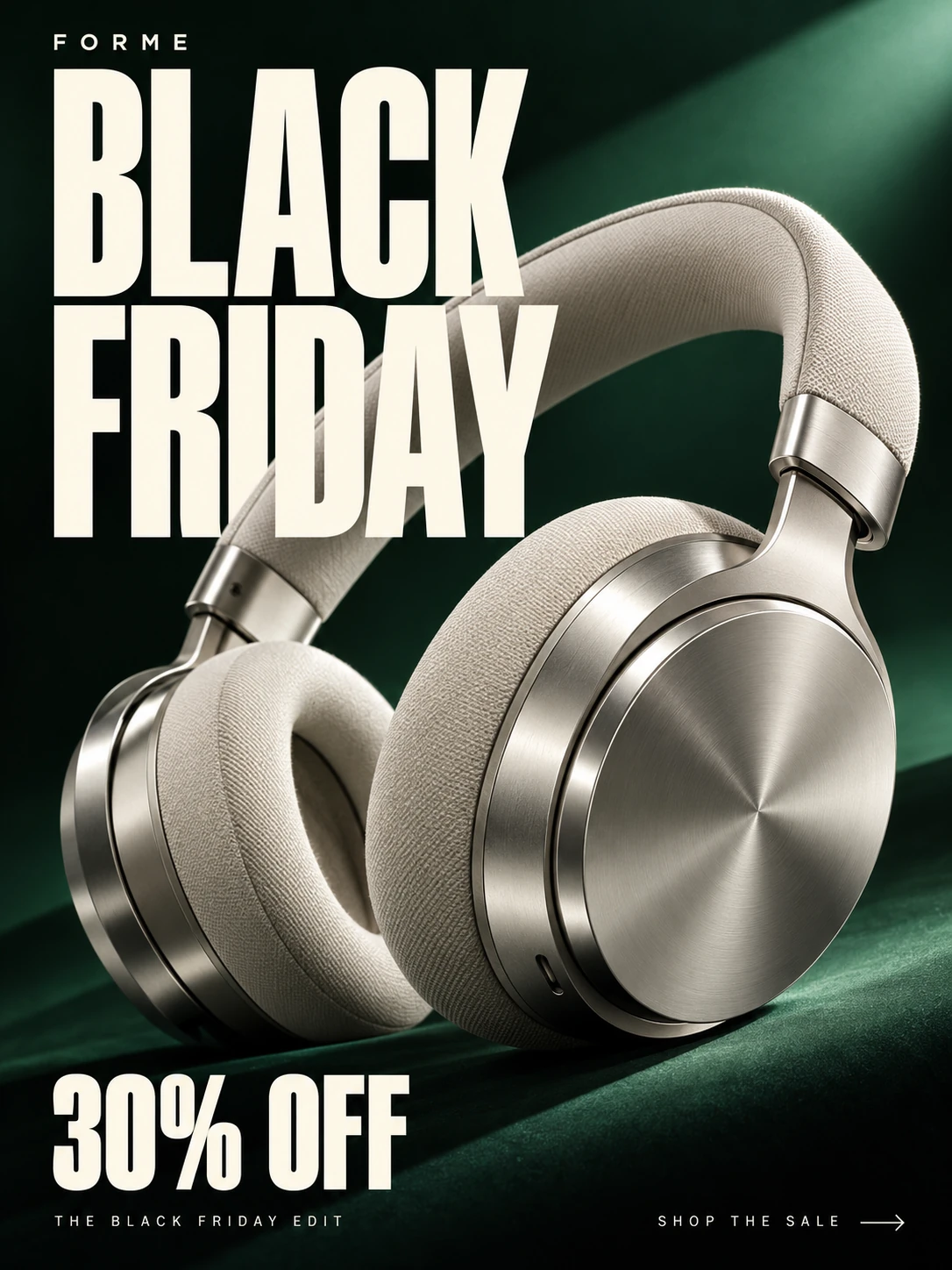
Source: Nano Banana Black Friday poster maker. FORME is the sample brand; 30% OFF is illustrative discount copy.
The useful detail is the hierarchy: recognize the headphones, then read the event and offer. For a teaser, replace the offer with a confirmed launch date or leave it blank. Add the actual discount when the sale is ready.
Try Bold retail, 3:4, and “Lead with the offer.” Use this art-direction brief:
Use the reference headphones as the only featured product. Preserve their earcups, headband, metal finish, and real colors. Use a deep green background and clear side lighting, with the product filling the main composition. Set the offer in large, contrasting type; keep the brand and call to action secondary. Do not add extra products, certification badges, or prices that were not supplied.
Skincare: establish the product’s character, then place the offer
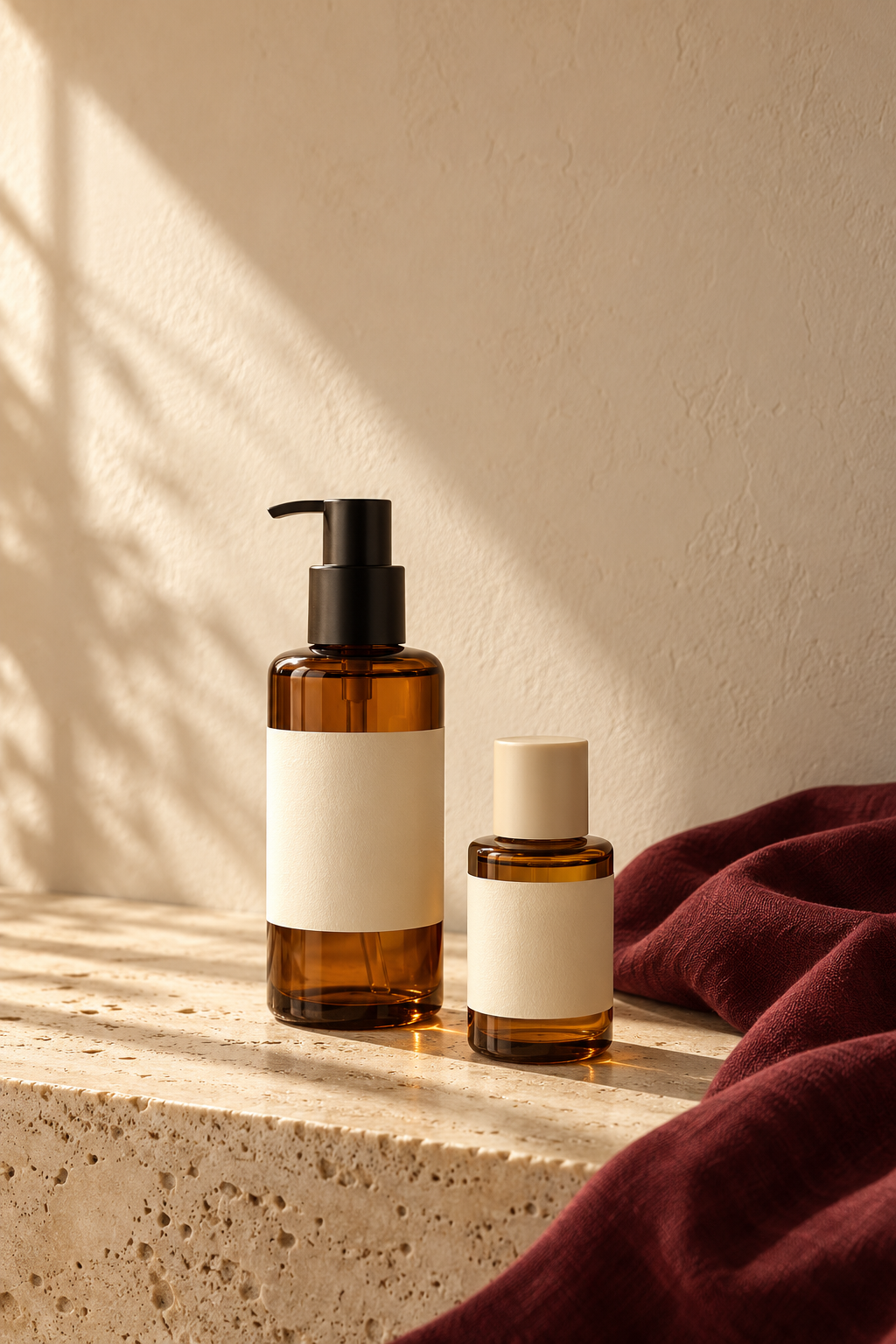
Source: the Nano Banana Black Friday page’s AI creative examples. This source image is 2:3 and illustrates palette and lighting; selecting 3:4 in the studio requires a new composition.
The bottles, stone, and natural light establish a visual tone. The space above can hold teaser copy. For the launch version, bring the product and offer forward so the background does not take over.
Choose Product editorial, 3:4, and “Lead with the product.” A headline could be “BLACK FRIDAY SKINCARE”; enter your actual promotion in the Offer field. Try this brief:
Preserve the two reference products, their bottle proportions, caps, and labels. Build a warm scene with a cream background, pale stone, a small amount of burgundy fabric, and natural side lighting. Enlarge the products and group the headline and offer into a compact, readable area. Do not add gift boxes, efficacy claims, or other products.
Coffee: use a familiar daily ritual for a social teaser
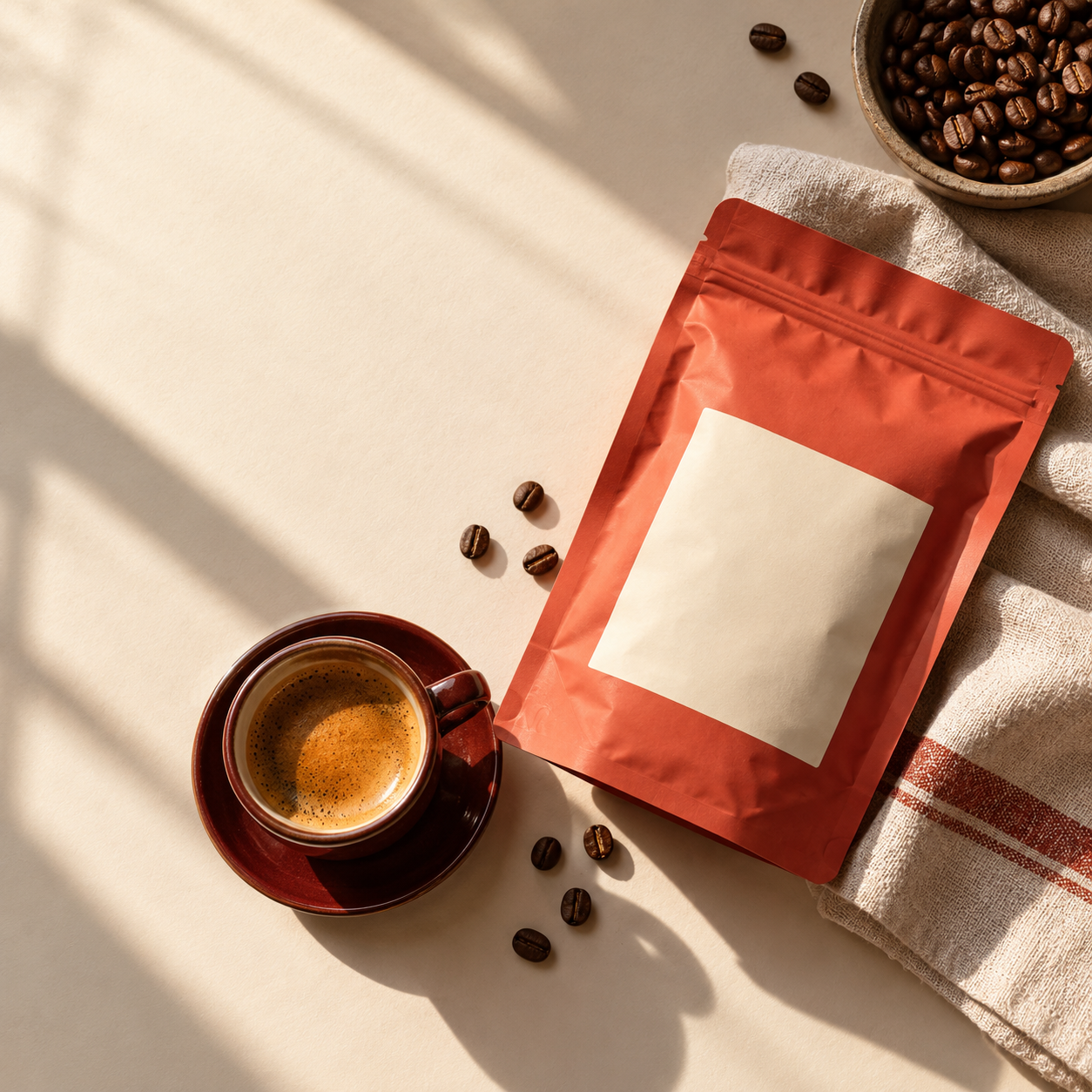
Source: the Nano Banana Black Friday page’s AI creative examples. The source image is 1:1 with a blank package label; use your own product information before publishing.
This square direction suits a featured coffee or holiday selection. Make the coffee bag the item for sale and the cup a scene-setting prop, so shoppers do not mistake the cup for part of a bundle.
Choose Product editorial, 1:1, and “Lead with the product.” Try “BLACK FRIDAY COFFEE PREVIEW” as the headline, leave the offer empty, and use “Preview the collection” as the action. Your art direction could be:
Feature the reference coffee bag with one espresso cup as a supporting prop. Use a cream tabletop and warm natural light, preserving the package’s real color and label. Place a short headline at the upper left and a clear, secondary call to action. Do not invent discounts, free gifts, or free-shipping claims.
Connect the image to a useful shopping destination
Your poster earns attention; the next page needs to carry that interest forward. A headphone image should lead to the featured headphones or the relevant sale collection, where shoppers can quickly find the pictured product and its offer.
“Shop the sale” inside an image is just artwork. Configure the actual destination in your ad, a supported social link placement, or your profile. Set the store banner’s click target, and add a link to images used in email.
When comparing two versions, keep the product, offer, audience, placement, and time period as similar as possible. Change one main variable, such as a larger product versus a larger discount. Use your ad platform or analytics tool to track each version’s:
- Link click-through rate: which image brings more visits.
- Product-page add-to-cart rate: whether those visitors want the item.
- Purchase conversion and gross profit: whether extra orders justify advertising and discount costs.
If clicks improve without purchases, examine the landing page, pricing, shipping, and stock availability. Clear creative can help communicate an offer; sales performance depends on the whole shopping experience.
Start with one product and three campaign images
Pick a featured product and one confirmed offer or teaser message. Create a 3:4 poster, then generate separate store-banner and social versions. Once the terms are final, update the copy and check the destinations before scheduling your campaign.
Open the Black Friday studio to create your first campaign set, and save the 2026 Black Friday campaign page for the confirmed schedule and redemption details of the planned monthly introductory and ongoing annual discounts.