


Seedream 5.5’s most useful upgrade may be less rework: transparent assets that composite cleanly, edits that preserve earlier details, and small multilingual text that is easier to deliver. As of October 21, 2026, Lumina has published preview material, but a firm release date, pricing, and API rollout remain unspecified. If you are deciding whether to wait, the already released GPT Image 2.5 offers a useful reference for the problems the next model needs to solve.
This article analyzes public preview signals. The release window and workflow expectations are the author’s predictions; we have not tested Seedream 5.5.
What is the latest Seedream 5.5 news?
The strongest public clues come from two pages on BytePlus’s Lumina platform. An introduction credited to the Lumina Editorial Team and dated October 15, 2026 describes a preview model focused on transparency, repeated editing, typography, and realism.
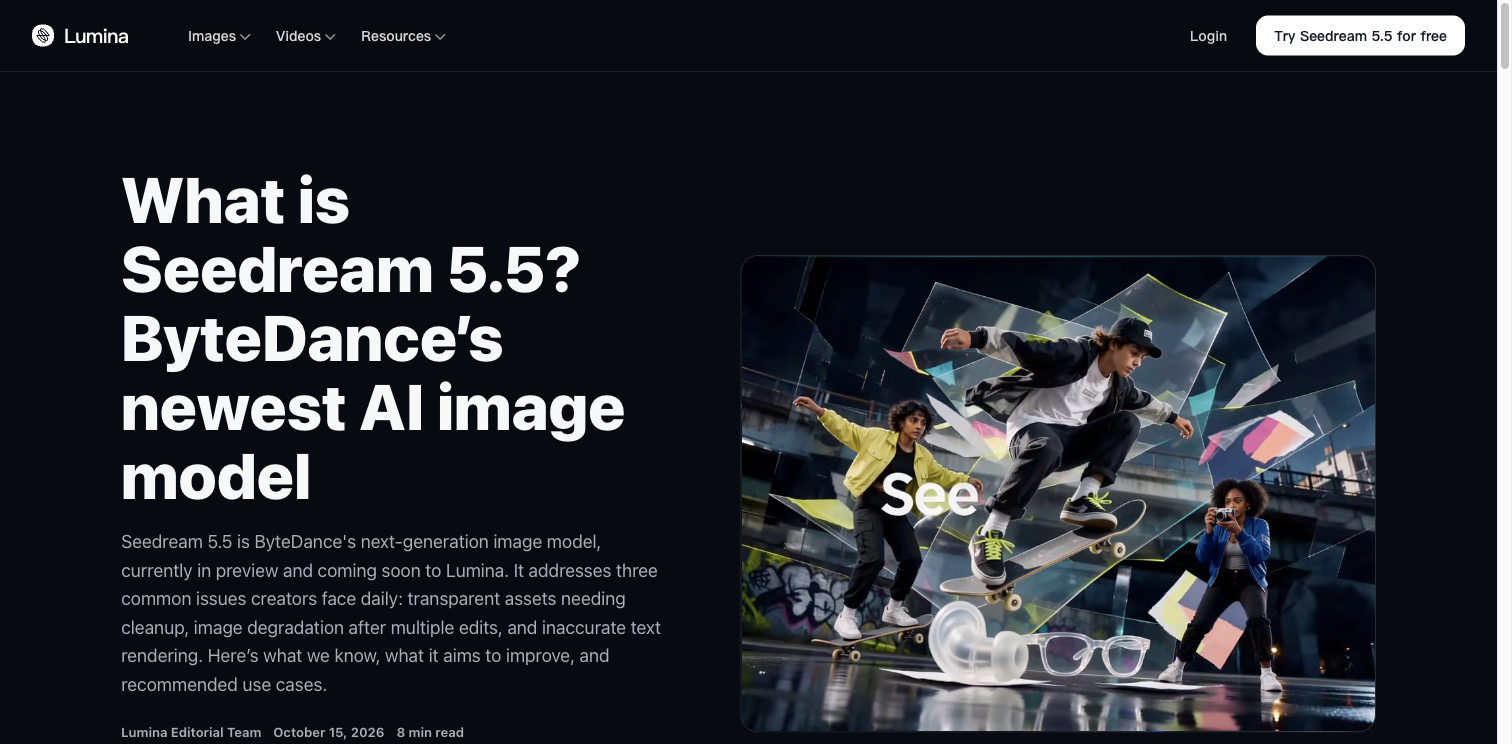
Source: Lumina Editorial Team, October 15, 2026; captured October 21. This is the reference article and its promotional visual, not a result from our testing.
A separate product preview makes more eye-catching claims: 80+ rounds of local editing and a text evaluation across 15 languages, with scores of 4.53 for 5.5 and 3.34 for 5.0 Pro.
These are useful leads to follow, but Lumina’s introduction also says internal preview results are not final public benchmarks. Without the full test set, scoring scale, and edit sequence, those figures establish neither a percentage accuracy nor an overall victory over GPT Image 2.5. The useful question behind “80 rounds” is how demanding each change was and which details survived.
For further product and creative-workflow context, explore the Seedream 5.5 topic site. Check subsequent release announcements for availability details.
When will Seedream 5.5 be released?
There is no confirmed release date in the material reviewed. Lumina describes a preview and an upcoming launch. The BytePlus ModelArk catalog and pricing pages checked for this article still list the 5.0 family without a public 5.5 API identifier or price.
| Date | Confirmed event | Why it matters |
|---|---|---|
| February 13, 2026 | ByteDance Seed introduces Seedream 5.0 Lite | A reference for the family’s earlier direction |
| July 8, 2026 | Seedream 5.0 Pro launches | A mature baseline for current workflows |
| September 8, 2026 | OpenAI launches ChatGPT Images 2.5 | A current reference for editing expectations |
| October 15, 2026 | Lumina publishes its Seedream 5.5 preview introduction | Public preparation is visible, without a launch date |
Sources: ByteDance Seed’s Lite and Pro announcements, OpenAI’s announcement, and Lumina’s introduction. Platform listing dates can differ from original announcement dates.
My low-confidence watch window is Q4 2026: October through December. That is an inference from preview material appearing in October, not evidence for a particular launch week. A move into 2027 remains possible. Earlier releases do not follow a fixed interval that would justify a countdown.
Watch separately for preview access, general availability, and an API release. Those milestones could arrive in stages; a preview page does not tell you when every account will get access.
You can follow our Seedream 5.5 page for updates as more information appears. Projects with a deadline should continue using models that are already available.
What does GPT Image 2.5 tell us about the next upgrade?
GPT Image 2.5 is already released. OpenAI emphasizes precise local edits, subject preservation, and consistency across successive changes. Its announcement also claims up to 50% lower generation latency compared with Images 2.0. That is a conditional comparison with the earlier generation, not a promise that every task takes half the time—or a speed prediction for Seedream 5.5.
Its two API options offer another useful reference: Flare prioritizes speed; Sunburst prioritizes quality and demanding creative work. Both support transparent backgrounds. Our GPT Image 2.5 Flare vs Sunburst guide explains how to choose between the current options.
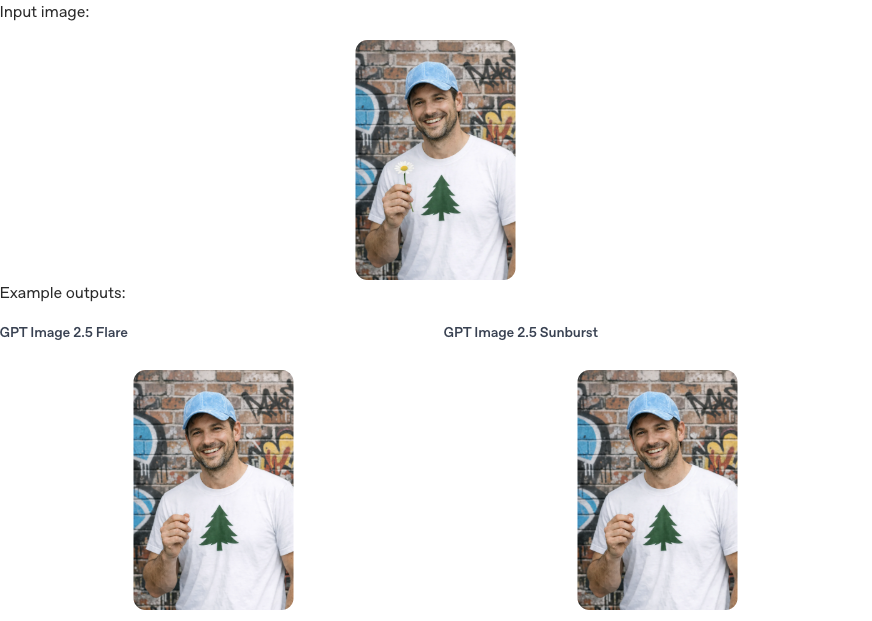
Source: OpenAI, Image prompting; captured October 21, 2026. The official example uses 1024×1536 output at medium quality and requests flower removal only. It illustrates what to inspect, not a Seedream 5.5 versus GPT Image 2.5 test.
The practical question is whether the face, hand, clothing, and surroundings remain consistent after the flower disappears. The same standard matters when you replace a product background, revise poster copy, or repeatedly adjust a brand asset.
| What to compare | GPT Image 2.5’s public information | What to examine in Seedream 5.5 |
|---|---|---|
| Transparent assets | Transparent backgrounds are documented | Whether previewed native RGBA handles difficult edges cleanly |
| Successive edits | Local and multi-turn consistency are emphasized | Whether longer edit chains reduce detail drift |
| Text and layout | Complex instructions and layout improvements are described | Whether small text, different scripts, and the original layout survive together |
| Speed and cost | Flare and Sunburst offer different priorities | Public latency, pricing, and variant details remain unavailable |
The following five expectations combine Seedream’s preview direction with these practical needs.
Five Seedream 5.5 upgrades worth watching
1. Transparent product images that are easier to composite
The A in RGBA is the alpha channel: it controls transparency. For glass, fabric, hair, and soft shadows, useful output needs partial transparency as well as a clean outline. A picture of a checkerboard is not a transparent asset.
Seedream 5.0 Pro’s official material already demonstrates layer separation and transparent layers. The interesting possibility for 5.5 is therefore a simpler route to compositing assets, with more reliable difficult edges.
If that improvement holds up, a designer could reuse a product across colored backgrounds, campaign layouts, and store pages with less masking work. For existing photos that need delivery today, a background removal tool remains an available step.
2. Products and people that stay recognizable through revisions
A client asks for a new background, then a different color, then a headline in the upper-right corner. Each request is manageable, but a sequence can distort a bottle, alter its label, or gradually change someone’s face.
The “80+ rounds” claim points toward that problem. My expectation is better preservation of the regions you did not ask to change. Public samples will need to show whether that extends to genuinely demanding edit chains.
You do not need 80 rounds to make an initial decision. Try a background replacement, a color change, and a headline edit, then compare the final image with the original reference. A beautiful result that has already changed the product geometry by round three does not meet that task’s requirements.
3. Small multilingual text that preserves the design
A correct headline is only part of a usable campaign. Prices, units, dates, and offer conditions are often the details that must not be wrong.
Seedream’s preview makes small multilingual typography a priority to investigate. A valuable improvement would let you adapt an English poster into Chinese, Japanese, or Thai while keeping its hierarchy, spacing, and product placement intact.
Ask a specific question: does your required language remain correct at the actual delivery size? Count important characters and check every number. Prices, trademarks, and dates still need human proofreading.
4. Realism that survives editing and closer inspection
Lighting, material surfaces, and skin texture are another preview theme. With GPT Image 2.5 also emphasizing lighting and texture, I would look for those qualities to survive a revision rather than judging only the first image.
Move a product from a daylight window to a nighttime counter. Reflections should respond to the new setting, while the cap, label, and volume marking remain consistent. Relighting a portrait should also preserve skin detail without smoothing away recognizable features.
These are proposed assessment criteria. They do not establish a realism ranking between unreleased Seedream 5.5 and another model.
5. Less total rework, beyond a shorter generation timer
GPT Image 2.5’s speed and quality options highlight a broader question: how many attempts does it take to get one acceptable asset?
A faster individual generation can still mean a slower project if it needs repeated repairs. A slightly slower alternative may finish sooner when it preserves the label or face more reliably. This is workflow analysis, not a measured result for either model.
I would watch whether Seedream 5.5 reduces retries and manual cleanup. There is not enough information yet to predict separate speed tiers, a premium variant, or lower prices.
Should you wait for Seedream 5.5?
| Your situation | A practical next step |
|---|---|
| Product images or campaign artwork are due this week | Use Seedream 5 Pro and save the references and prompts as a future baseline |
| Repeated edits keep changing faces or product shapes | Run the same edit chain in the GPT Image 2.5 workspace to see what current tools can resolve |
| You regularly make transparent assets or multilingual posters | Follow 5.5 and collect examples that fail in your current workflow |
| You are planning API integration or a purchasing budget | Wait for a model ID, billing details, limits, and supported regions before scheduling migration |
An existing workflow that meets your requirements does not need to stop because a preview appeared. Save representative inputs so you can make a useful comparison when the new version becomes available.
Three tests to run when Seedream 5.5 arrives
These prompts are original test suggestions, not completed Seedream 5.5 examples. Establish a baseline with a current model, then keep references, dimensions, and prompts consistent when testing the new version.
Test 1: Real transparency
Generate an unbranded translucent glass perfume bottle containing pale green liquid, with natural edge highlights and a soft contact shadow. Use a transparent background and export a PNG retaining the alpha channel. Do not draw a white background or a checkerboard. Do not add text.
Place the exported file on black, white, and blue backgrounds. Inspect its alpha channel, glass edges, liquid, and shadow; the preview checkerboard alone proves nothing. When working from a real product photograph, also check whether the product itself has changed.
Test 2: Fidelity through three successive edits
Upload a product image you have permission to use. Save the baseline and feed each output into the next step:
- “Change only the background to a light gray photography studio. Preserve the product silhouette, label, text, angle, and composition.”
- “Change only the bottle cap to dark blue. Preserve every other detail.”
- “Add only the headline ‘NEW SEASON’ in the upper-right corner. Do not move or redesign the product.”
Check that each step changes only the requested region and retains earlier edits. Start with three rounds, then extend to ten. Assess the whole sequence rather than selecting its most attractive frame.
Test 3: Small text and poster localization
Create a simple 4:5 coffee-event poster featuring a latte. Display exactly three lines: “秋日咖啡周”, “第二杯半价”, and “10月24日—10月31日”. Give the headline, offer, and dates a clear hierarchy. Add no other text.
Then replace only the text with “Autumn Coffee Week”, “Second cup 50% off”, and “Oct 24–31”, preserving the cup, background, and layout. Inspect characters, dates, spacing, and alignment at both original and final delivery sizes. That is more representative than judging a thumbnail.
Record the model, settings, waiting time, failed attempts, and manual cleanup time for all three tests. Compare usable results across the complete task.
Seedream 5.5 questions readers are asking
Will Seedream 5.5 be free or cheaper than 5.0 Pro?
That is unconfirmed. The preview’s trial buttons do not establish a 5.5 allowance or a final price suitable for budgeting. Check trial credits, subscription access, and API billing separately at launch; do not transfer 5.0 Pro’s prices to the new model.
Will it support native 4K, PSD, or editable vectors?
The reviewed material does not establish final specifications. Transparent PNGs, layer separation, native high-resolution generation, PSD files, and vectors are different capabilities. For printing or design handoff, verify actual pixel dimensions, formats, and editability.
Will Seedream 5.5 be better than GPT Image 2.5?
That depends on the task. Transparent assets, successive edits, and multilingual typography are promising comparison areas, but the preview does not establish an overall winner. Use the same product, poster, and edit sequence to compare text accuracy, detail preservation, time, and total cost.
Will mobile access, the API, and every region launch together?
No clear schedule has been published in the reviewed material. Check account and regional availability after launch; developers also need model documentation and a callable endpoint. Prepare inputs and an integration plan now, but keep unconfirmed dates out of delivery commitments.