

AI Unblur Image
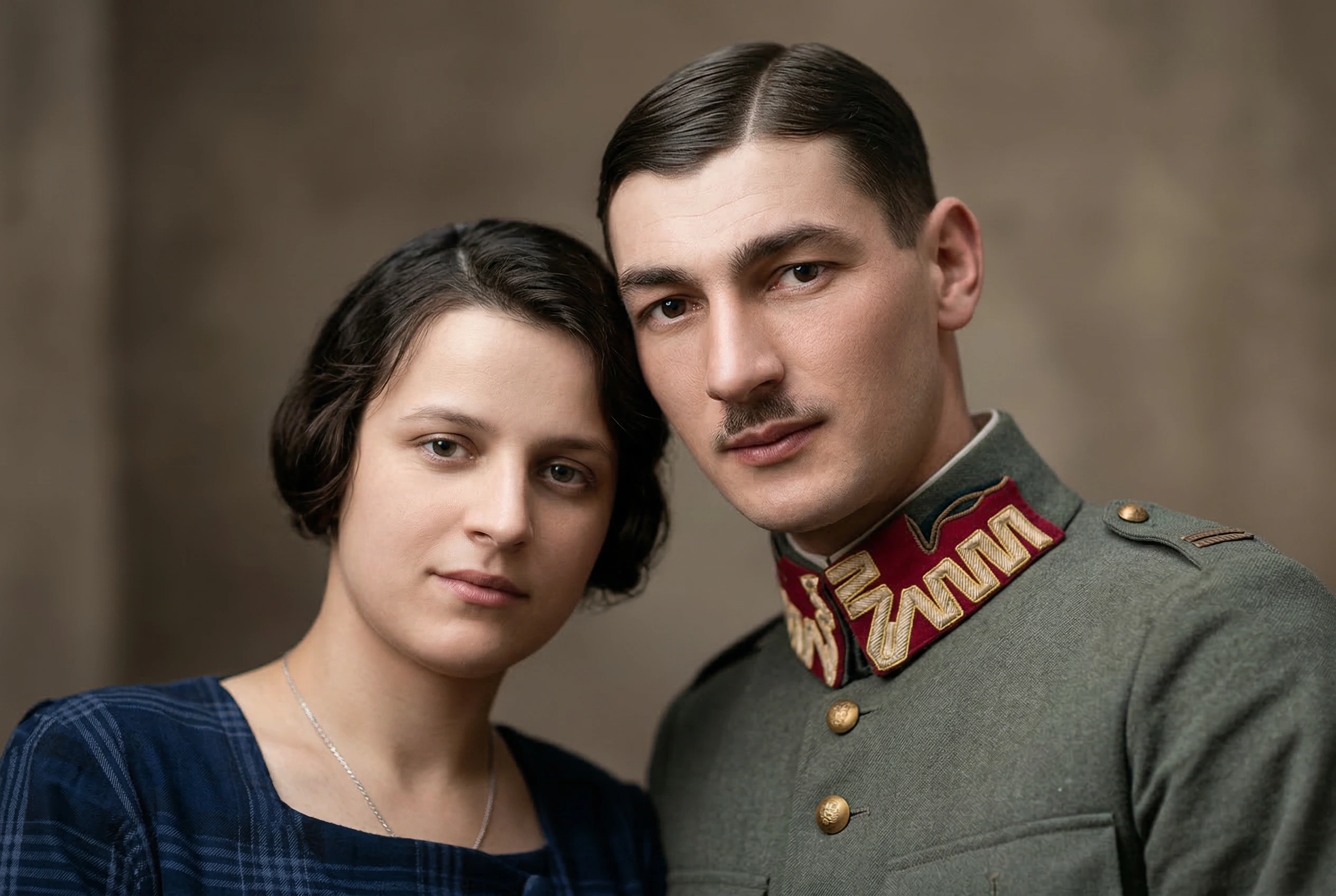
Upload a blurry photo and let Nano Banana 2 improve clarity, reduce motion blur, and restore sharp detail while keeping faces, colors, lighting, text, and the original scene intact.
Sign Up & Get 20 Free Credits
Register now and get free credits to unblur images online
Upload Blurry Image
or drop files here
AI Unblur Prompt
Full transparency: this is the exact Nano Banana 2 prompt we use to unblur images:
“Enhance and unblur this image while preserving the original composition, facial features, colors, lighting, and natural texture. Restore sharp details, improve clarity, reduce motion blur and softness, and make the subject look clean and high-resolution. Keep the image realistic and avoid changing the identity, background, expression, or overall style. Do not over-smooth skin, do not create artificial details, and do not alter any text or objects in the image.”
Powered by Nano Banana 2 and optimized for realistic sharpening without changing identity, background, expression, text, or objects.
Unblur Images with Realistic Detail
A focused AI image unblur workflow for photos that look soft, shaky, compressed, or out of focus.
Motion Blur and Softness Reduction
Clean up handheld shake, mild motion blur, low focus, and soft image edges without turning the photo into an artificial illustration.
Identity and Scene Preservation
Nano Banana 2 is prompted to preserve facial features, expression, background, colors, lighting, text, and objects while restoring clarity.
Resolution Options for Every Job
Choose 1K, 2K, or 4K output depending on whether you need a fast preview, a sharper social post, or a cleaner high-resolution result.
Batch Image Unblur
Upload multiple blurry images and process them in one queue. Each image is submitted as its own Nano Banana 2 task for dependable results.
How to Unblur an Image Online
Fix blurry images in three simple steps with Nano Banana's AI unblur image tool.
Upload Blurry Images
Drag and drop JPG, PNG, WebP, or JFIF images up to 30MB. You can add several images for batch processing.
Choose Output Resolution
Select 1K, 2K, or 4K. Nano Banana 2 then sharpens details, improves clarity, and reduces blur with the fixed preservation prompt.
Compare and Download
Review the before and after comparison, switch between batch results, download a single unblurred image, or export all completed results as a ZIP.
Simple and transparent Nano Banana pricing
Choose the perfect plan for your AI image creation needs.
Cancel anytime
Starter
Save 30%Perfect for trying out AI image generation and small projects.
What's included
- 4200 AI generation credits per year
- Nano Banana models
- Nano Banana Pro models
- Seedream 4.5 models
- Veo 3.1 & Sora 2 & Wan 2.5/2.6 video generation models
- Flux Kontext models
- Up to 5 reference images upload
- Up to 2 batch generation tasks
- Nano Banana Pro up to 2K resolution
- 3x,4x image enhancement service
- Standard generation speed
- Standard success rate
- Standard customer support
- Commercial license
Perfect for experiencing AI image generation and editing effects.
Pro
Save 50%Ideal for creators, designers, and content professionals.
Everything in Starter
- 19200 AI generation credits per year
- Nano Banana models
- Nano Banana Pro models
- Seedream 4.5 models
- Veo 3.1 & Sora 2 & Wan 2.5/2.6 video generation models
- Unlimited Flux Kontext models
- Up to 10 reference images upload
- Up to 10 batch generation tasks
- Nano Banana Pro up to 4K resolution
- 3x,4x image enhancement service
- Priority processing speed
- High success rate
- High-speed download channel
- Priority customer support
- Unlimited commercial license
🔥 Limited Time Offer! Get Pro Now
Premium
Save 50%For teams, agencies, and high-volume commercial use.
Everything in Pro
- 66,000 credits / Year
- Nano Banana models
- Nano Banana Pro models
- Seedream 4.5 models
- Veo 3.1 & Sora 2 & Wan 2.5/2.6 video generation models
- Unlimited Flux Kontext models
- Up to 10 batch generation tasks
- Up to 10 reference images upload
- Nano Banana Pro up to 4K resolution
- 3x,4x image enhancement service
- Fastest generation speed
- Most advanced AI editing capabilities
- Permanent image storage
- Dedicated account manager
- Unlimited commercial license
Perfect for teams and businesses
For any questions about payment, contact our support team:Contact support
Pay safely and securely with






AI Unblur Image FAQ
Answers to common questions about using Nano Banana to unblur images online.
How do I unblur an image online?
Upload your blurry image, choose an output resolution, and click Unblur Image. Nano Banana 2 enhances sharp details, reduces motion blur and softness, and returns a before and after comparison for download.
Can AI unblur image details without changing faces?
The unblur prompt is designed to preserve identity, facial features, expression, colors, lighting, background, text, and objects. It improves clarity while avoiding over-smoothed skin and artificial details.
Is this unblur image tool free to try?
New users receive free credits after signing up. Each unblur task uses Nano Banana 2 credits based on the selected resolution: 1K, 2K, or 4K.
Can I unblur multiple images at once?
Yes. The workspace supports multi-image upload and batch processing. Free users can process one image at a time, while Pro and Premium users can process up to five images in a batch.
What types of blurry photos work best?
The best inputs are photos with mild or moderate blur, camera shake, soft focus, compression softness, or low-detail edges. Extremely unreadable images may not contain enough visual information to recover accurately.
Will AI change text or objects in my image?
The prompt explicitly tells Nano Banana 2 not to alter text or objects. As with any AI image edit, review the result before using it in production or official documents.
Which resolution should I choose for image unblur?
Use 1K for fast previews, 2K for balanced quality and credit cost, and 4K when you need a cleaner high-resolution output for print, archives, or detailed review.
Can I use unblurred images commercially?
You can use generated outputs according to your rights in the original image and Nano Banana's terms. Make sure you have permission to edit and use the source image.
Explore more AI Tools
Switch tools without breaking your creative flow.

Image Upscaler
Enhance image resolution with AI-powered upscaling

AI Background Remover
Remove image backgrounds instantly with AI

Browser Extension
Integrate Nano Banana capabilities into your browser

AI Old Photo Restorer
Restore old, faded photos to DSLR quality with AI
Turn the almost-shot into the keeper
Reduce motion blur, recover facial detail, and sharpen soft photographs with a natural finish instead of an overprocessed look.