

Nano Banana Extension
The most powerful AI image generator lives in your browser. Generate, edit, and perfect stunning images in 30 seconds — without ever leaving the page you're on.
Sign in required · Free to install
Screenshots
See It in Action
Every screen designed for speed and clarity — open the panel, pick your model, and download your image in under 30 seconds.
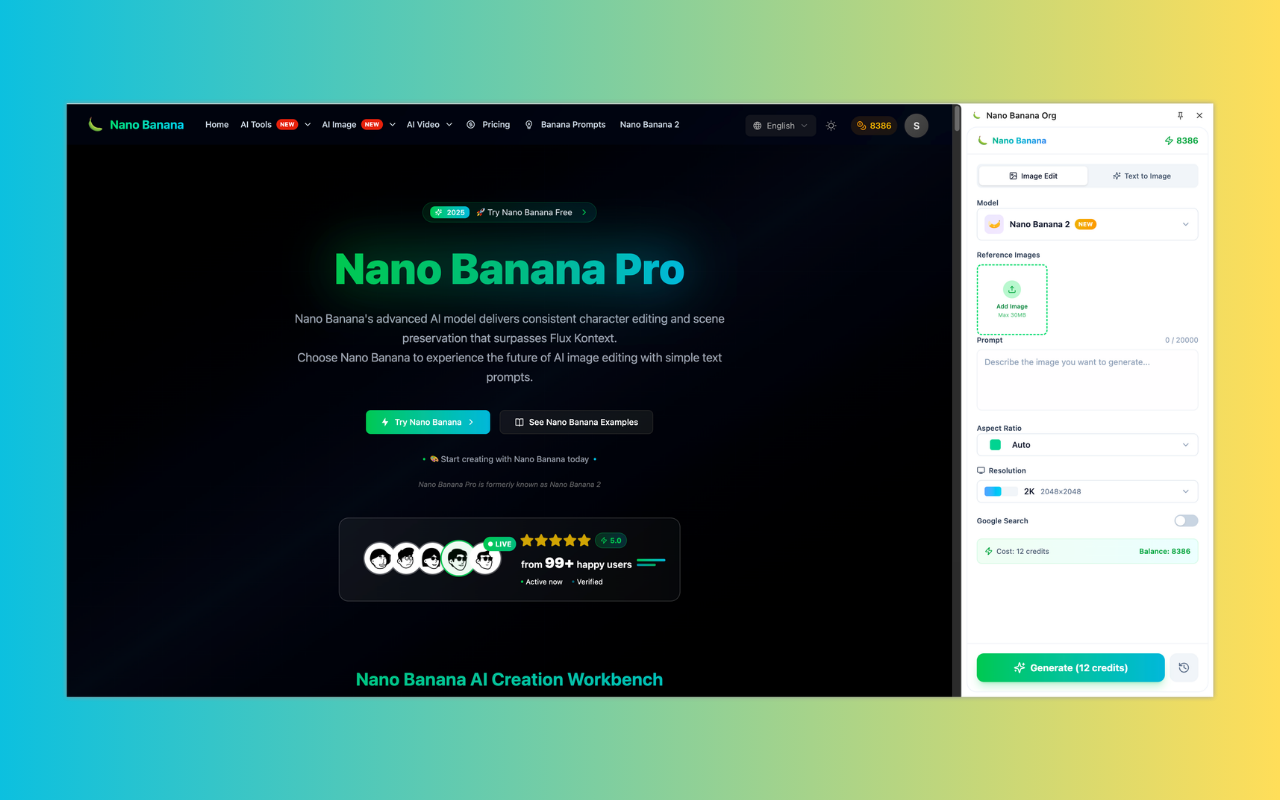
Full Nano Banana studio — accessible from any page, any time
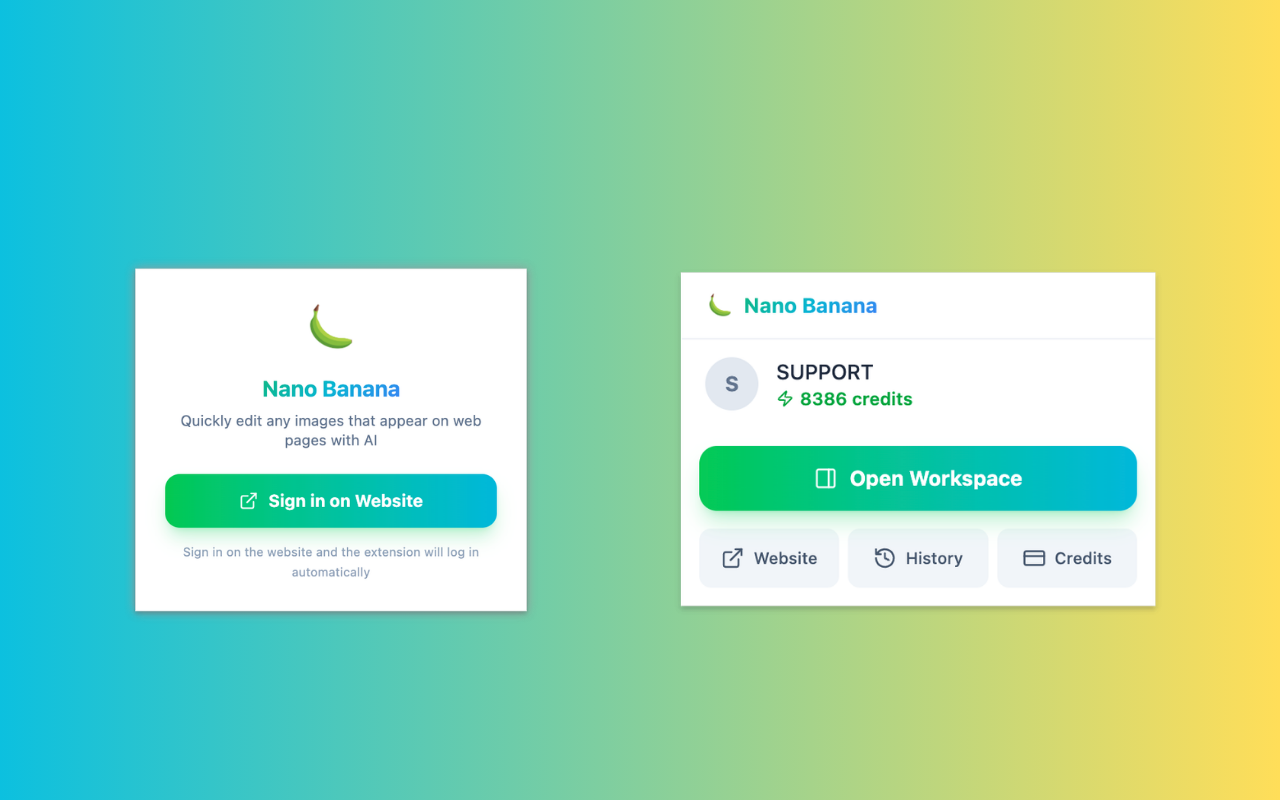
Sign in once on the website — the extension logs in automatically
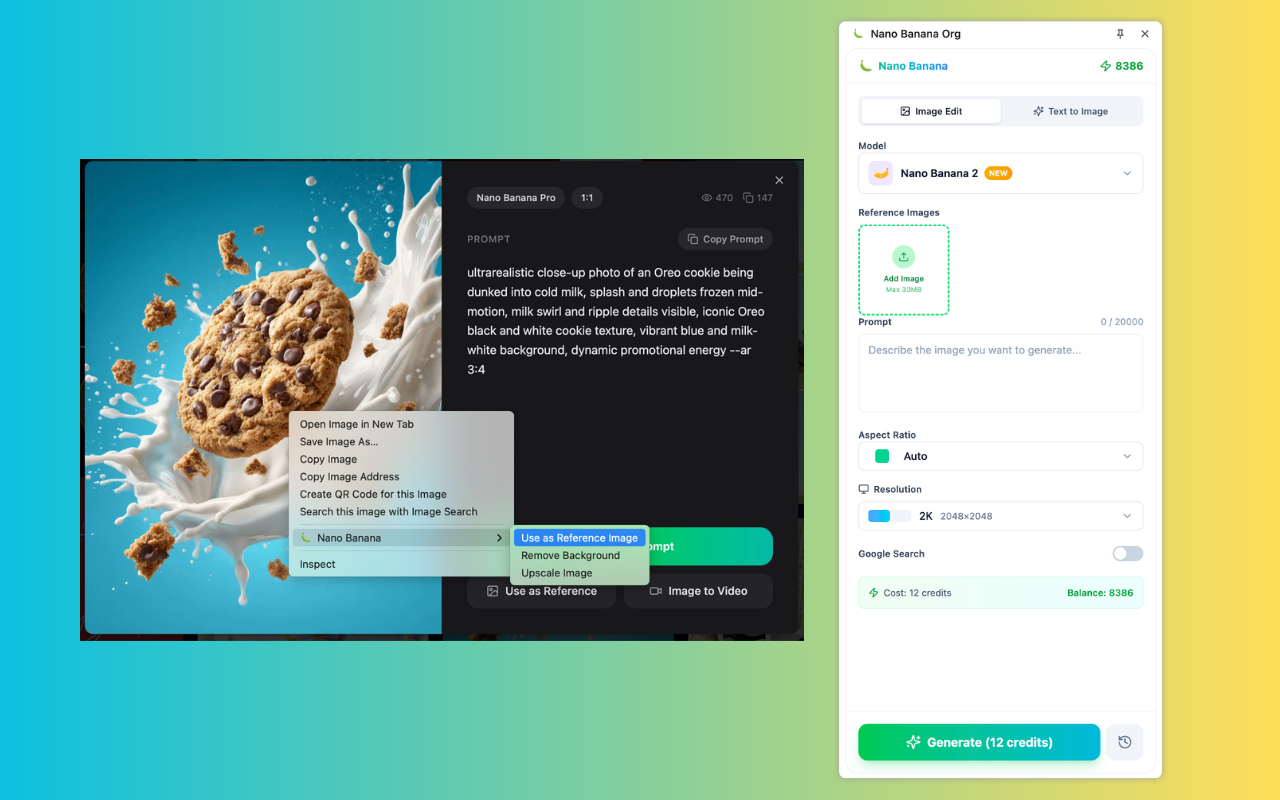
Right-click any image to use it as reference, remove background, or upscale
Features
Everything You Love About Nano Banana — Now in Your Browser
The Nano Banana extension is not a watered-down sidebar. It is the full, uncompromised studio experience — available the moment you click the icon, on any page, at any time.
One-Click Access, Anywhere
Invoke your AI studio from any tab, any website, any moment. Click the extension icon and Nano Banana opens instantly — no new windows, no navigation, no disruption to what you were doing.
Nano Banana, Nano Banana 2 & Pro
The full model family at your fingertips: Nano Banana for rapid creative work, Nano Banana 2 for next-level quality, and Nano Banana Pro for professional-grade output with studio controls. All three. All here.
Create Without Context-Switching
Reading an article and need a visual? Shopping and want to remix a product shot? The extension panel floats beside your workflow so creation never interrupts your browsing flow.
Blazing-Fast 30-Second Results
Powered by distributed AI infrastructure optimized for speed, your images render in under 30 seconds on average. Iterate on ideas at the speed of thought, not the speed of waiting.
Right-Click Any Image on the Web
Found an image on any webpage? Right-click it and instantly use it as a reference image, remove its background, or upscale it to 4K — all without copying or downloading anything.
Your Account Travels with You
Credits, generation history, and settings sync instantly with your Nano Banana account. Sign in once on the website and the extension logs in automatically — your workspace follows you everywhere.
How It Works
Up and Running in Under 60 Seconds
From zero to generating stunning AI images in your browser — four steps, no technical setup required.
Install in One Click
Hit 'Add to Chrome', 'Add to Edge', or 'Add to Firefox' and the Nano Banana extension installs in under 5 seconds. No configuration, no permissions you didn't ask for.
Sign In on the Website
Sign in on nanobanana.org and the extension logs in automatically. Your credits, history, and preferences sync instantly — no separate login needed.
Describe Your Vision
Choose Nano Banana, Nano Banana 2, or Nano Banana Pro, type a prompt, set your aspect ratio. Right-click any webpage image to use it as a reference.
Download or Share Instantly
Your image renders in seconds. Download at full resolution, copy to clipboard, or save directly to your Nano Banana library — all without leaving the page.
Simple and transparent Nano Banana pricing
Choose the perfect plan for your AI image creation needs.
Cancel anytime
Starter
Save 30%Perfect for trying out AI image generation and small projects.
What's included
- 4200 AI generation credits per year
- Nano Banana models
- Nano Banana Pro models
- Seedream 4.5 models
- Veo 3.1 & Sora 2 & Wan 2.5/2.6 video generation models
- Flux Kontext models
- Up to 5 reference images upload
- Up to 2 batch generation tasks
- Nano Banana Pro up to 2K resolution
- 3x,4x image enhancement service
- Standard generation speed
- Standard success rate
- Standard customer support
- Commercial license
Perfect for experiencing AI image generation and editing effects.
Pro
Save 50%Ideal for creators, designers, and content professionals.
Everything in Starter
- 19200 AI generation credits per year
- Nano Banana models
- Nano Banana Pro models
- Seedream 4.5 models
- Veo 3.1 & Sora 2 & Wan 2.5/2.6 video generation models
- Unlimited Flux Kontext models
- Up to 10 reference images upload
- Up to 10 batch generation tasks
- Nano Banana Pro up to 4K resolution
- 3x,4x image enhancement service
- Priority processing speed
- High success rate
- High-speed download channel
- Priority customer support
- Unlimited commercial license
🔥 Limited Time Offer! Get Pro Now
Premium
Save 50%For teams, agencies, and high-volume commercial use.
Everything in Pro
- 66,000 credits / Year
- Nano Banana models
- Nano Banana Pro models
- Seedream 4.5 models
- Veo 3.1 & Sora 2 & Wan 2.5/2.6 video generation models
- Unlimited Flux Kontext models
- Up to 10 batch generation tasks
- Up to 10 reference images upload
- Nano Banana Pro up to 4K resolution
- 3x,4x image enhancement service
- Fastest generation speed
- Most advanced AI editing capabilities
- Permanent image storage
- Dedicated account manager
- Unlimited commercial license
Perfect for teams and businesses
For any questions about payment, contact our support team:Contact support
Pay safely and securely with








Frequently Asked Questions
Everything you need to know about the Nano Banana browser extension.
What is the Nano Banana extension?
The Nano Banana extension is a browser plugin for Google Chrome, Microsoft Edge, and Firefox that brings the full Nano Banana AI image generation studio directly into your browser. Instead of opening a new tab or switching applications, you can generate, edit, and download AI images from a compact panel that works on any webpage.
Which browsers support the Nano Banana extension?
The Nano Banana extension is available for Google Chrome (via the Chrome Web Store), Microsoft Edge (via the Edge Add-ons store), and Firefox (via Firefox Add-ons). All three browsers are fully supported with identical feature sets and performance.
Do I need an account to use the extension?
Yes, signing in to your Nano Banana account is required to use the extension. Simply sign in on nanobanana.org and the extension logs in automatically — there is no separate login flow. Your credits, generation history, and settings sync across the web app and the extension instantly.
Can I use my existing Nano Banana credits in the extension?
Absolutely. Your Nano Banana account credits are shared across all platforms — the web app, the extension, and any other Nano Banana tools. There is no separate credit system for the extension.
Which AI models are available in the extension?
The extension supports all three models in the Nano Banana family: Nano Banana (fast creative generation), Nano Banana 2 (next-level image quality), and Nano Banana Pro (professional studio controls, up to 4K output, advanced subject consistency). Switch between them freely inside the extension panel.
Can I use webpage images as reference in the extension?
Yes — and this is one of the extension's most powerful features. Right-click any image on any webpage and the context menu shows Nano Banana options: 'Use as Reference Image', 'Remove Background', and 'Upscale Image'. No need to download or copy anything.
What image resolutions does the extension support?
The Nano Banana extension supports all resolutions available on the web platform. With Nano Banana Pro, you can generate up to 4K resolution. You can also freely adjust aspect ratios — from square 1:1 to widescreen 16:9 and portrait 9:16.
How do I update the extension?
Extensions update automatically in Chrome, Edge, and Firefox. All model and feature updates happen server-side instantly — no browser update needed to get the latest capabilities.
Explore more AI Tools
Switch tools without breaking your creative flow.

Image Upscaler
Enhance image resolution with AI-powered upscaling

AI Background Remover
Remove image backgrounds instantly with AI

AI Old Photo Restorer
Restore old, faded photos to DSLR quality with AI
AI Unblur Image
Sharpen blurry photos and reduce motion blur with AI
Your Browser. Your AI Studio.
Join hundreds of thousands of creators who generate stunning AI images directly from their browser — no app switching, no lost context, no friction.