

For work you need to deliver now, Seedream 5 Pro is the practical starting point. Seedream 5.5 is worth watching if repeated edits, transparent assets, or small multilingual text consume most of your cleanup time. Its preview targets those problems, but a dependable upgrade decision still needs public access, pricing, and a test with your own assets.
This Seedream 5.5 vs Seedream 5 Pro comparison separates the preview’s claims from the current model’s documented capabilities, then shows how to choose for a real project. “Seedream 5 Pro” means Seedream 5.0 Pro here, not Seedream 5.0 Lite or Flash. Research was checked on October 27, 2026; this is a source-based comparison, not a hands-on benchmark of 5.5.
Is Seedream 5.5 released, and what are we comparing?
ByteDance Seed announced Seedream 5.0 Pro on July 8, 2026. BytePlus documents its API model as dola-seedream-5-0-pro-260628.
Lumina’s October 15 introduction describes Seedream 5.5 as a preview, with launch timing, pricing, and API access still unconfirmed. Its separate product page uses stronger “try now” language alongside “when it launches.” For planning a deadline, the explicit preview status is the useful constraint: do not schedule a project around access you have not obtained.
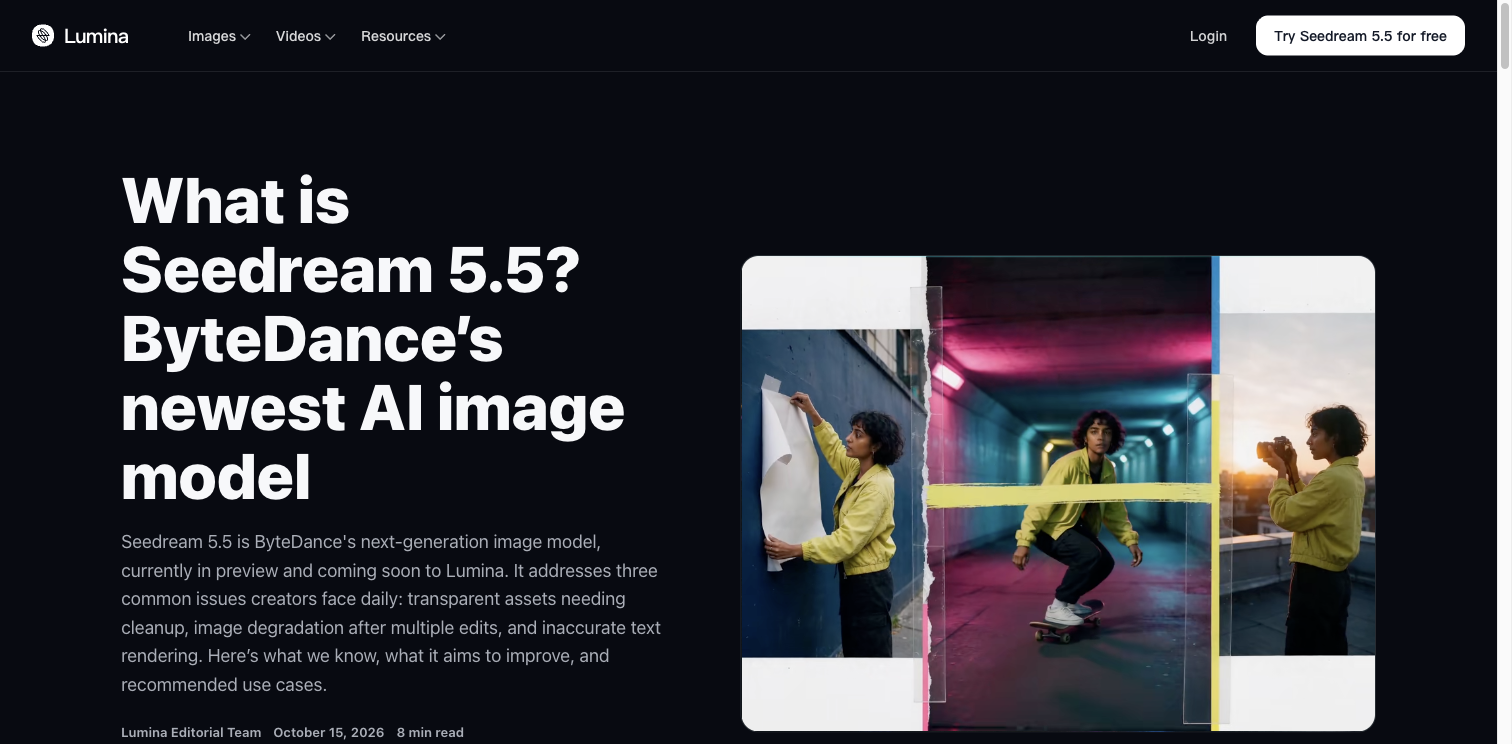
Source: Lumina Editorial Team, October 15, 2026; screenshot captured October 27. The illustration belongs to the source page and is not an output from our testing.
Seedream 5.5 vs Seedream 5 Pro: the differences that matter
| Decision point | Seedream 5.5 | Seedream 5 Pro / 5.0 Pro |
|---|---|---|
| Availability | Preview material; public launch and API rollout unconfirmed in the sources reviewed | Released model with a documented API |
| Long editing sessions | Lumina claims more than 80 rounds of clean local editing in internal evaluation | Supports localized edits; no comparable 80-round guarantee in the documentation reviewed |
| Transparent assets | Preview emphasizes direct generation with full and partial transparency | Supports transparent layers and a restricted transparent-image editing workflow |
| Layer separation | Layered workflows are discussed; a final public layer limit was not verified | One base image plus up to 16 layers in the documented API |
| Small multilingual text | Preview reports improved rendering | Already supports multilingual text and information-heavy layouts |
| Resolution | Final public 5.5 API limits not verified | ModelArk lists 1K, 1.5K and 2K |
| Cost | No confirmed public 5.5 API price in the reviewed material | Published prices vary by output pixel tier, references and task type |
Sources: Lumina’s two 5.5 pages; BytePlus ModelArk’s image-generation, Pro tutorial and pricing documentation, checked October 27, 2026. These compare preview claims with documented shipping functionality, not two controlled test runs.
The biggest mistake would be to treat Pro as a basic flat-image generator. It already addresses design work. The question is whether 5.5 will make the whole revision and export process easier enough to justify switching.
1. Transparency and layers: what would actually change?
Pro already has a useful layered workflow
The current Pro documentation describes layers with alpha channels and placement information. It also permits transparent-background editing when the input is exactly one image that already has alpha, with PNG output. That is a narrower workflow than asking a text-only prompt to create any transparent asset from scratch.
Keep three deliverables separate:
- A PNG file: a format that can contain transparency; the extension alone proves nothing.
- An image with real alpha: usable transparent or partially transparent pixels.
- An editable design document: independently controllable objects, and sometimes live text, vectors or other application-specific structures.
A separated text layer can still be a raster image of letters. It does not automatically become an editable font object. Neither a PNG nor a set of layers should be assumed to be a ready-made PSD.
Where the 5.5 preview could save time
Direct transparent generation would be useful for soft shadows, fine hair, glass and overlays, where cutting out a finished image often becomes the slow step. The practical test is simple: place the exported file over white, black and a saturated color. Look for halos, opaque rectangles and missing translucent detail.
For an existing product photograph, preserving the original item may matter more than generating a replacement. A dedicated background remover remains a useful route when the shape, printed label and physical finish must survive unchanged; inspect its edges too.
Choose based on the required asset: a cutout for a storefront, a layered composition for a designer, and an image containing editable copy are different jobs.
2. Repeated editing: does “80+ rounds” mean you can stop worrying?
Lumina’s product preview claims over 80 rounds of local editing. Its introductory article also warns that internal preview results are not final public benchmarks. Treat the number as a reason to test longer sessions, not a promise that every difficult edit will preserve every pixel.
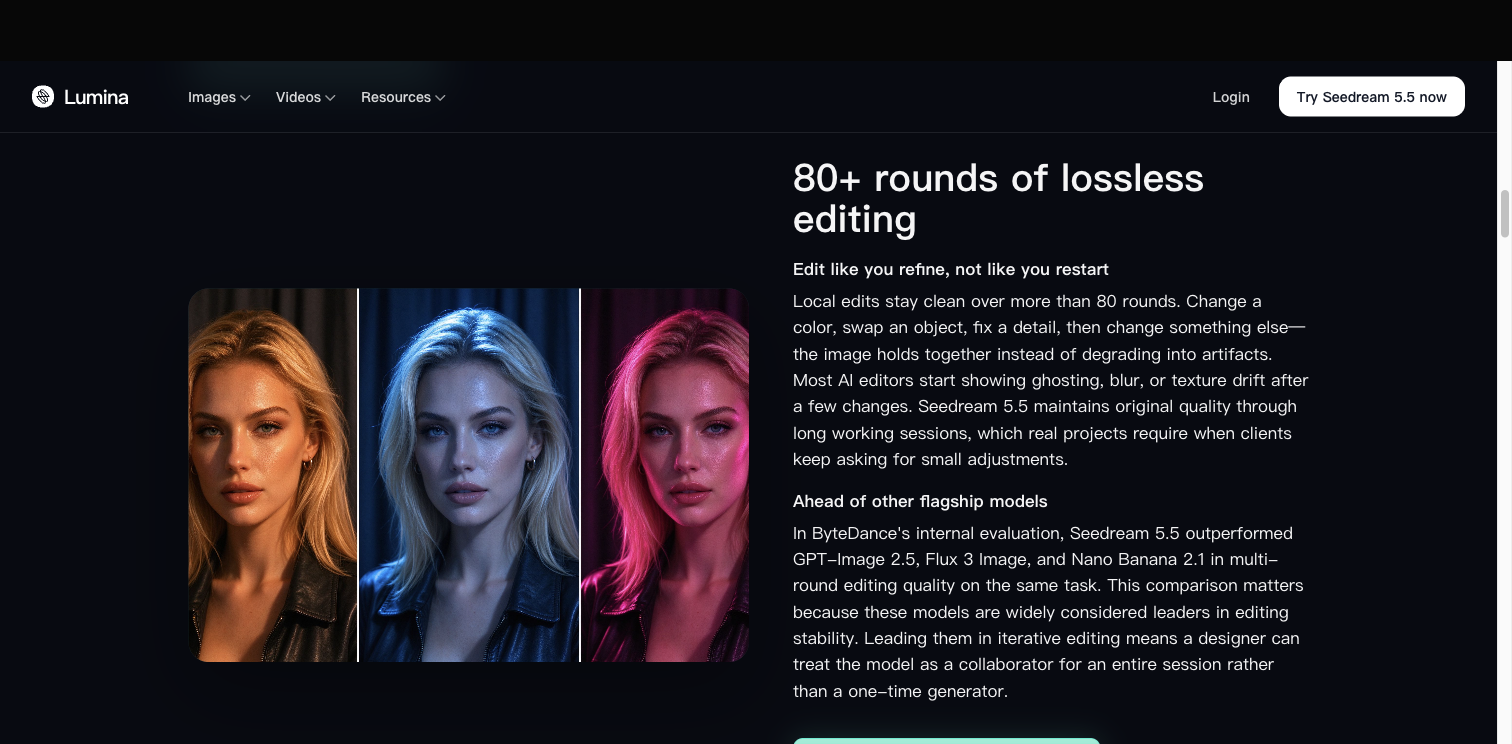
Source: Lumina’s Seedream 5.5 product preview, captured October 27, 2026. This promotional example is not a published sequence of 80 independently inspected outputs.
For client work, count how many edits survive without breaking an earlier approval. A workflow can fail after the third change if the product logo mutates, even when the face and background still look attractive.
Use a short revision chain that resembles an actual request:
- Change the background from cream to pale blue.
- Change only the cap from silver to matte black.
- Move a decorative object away from the product.
- Replace a short headline with approved copy.
- Adjust only the shadow intensity.
Save every stage. Compare each result against both the previous image and the original. Check the label, silhouette, subject identity and composition outside the requested area. If an error appears, return to the last approved checkpoint; feeding that error into later edits makes diagnosis harder.
Pro’s existing positional control is useful here. Mark the region or object you want changed and state what must stay fixed. For a first baseline, use the Seedream 5 Pro image workspace with a small reference set and one clear change at a time.
3. Text and layout: fewer mistakes matter more than a higher score
The Lumina preview reports a multilingual evaluation score of 4.53 for 5.5 versus 3.34 for 5.0 Pro, across 15 target languages. These are reported scores, not 95% accuracy, and not evidence that proofreading is unnecessary. The numerical difference is 1.19 points; it should not be advertised as a percentage improvement in usable posters without the evaluation protocol.
Pro already offers a meaningful baseline. ByteDance’s launch article shows a rough layout turned into a finished school-outing poster with organized text and felt-like materials.
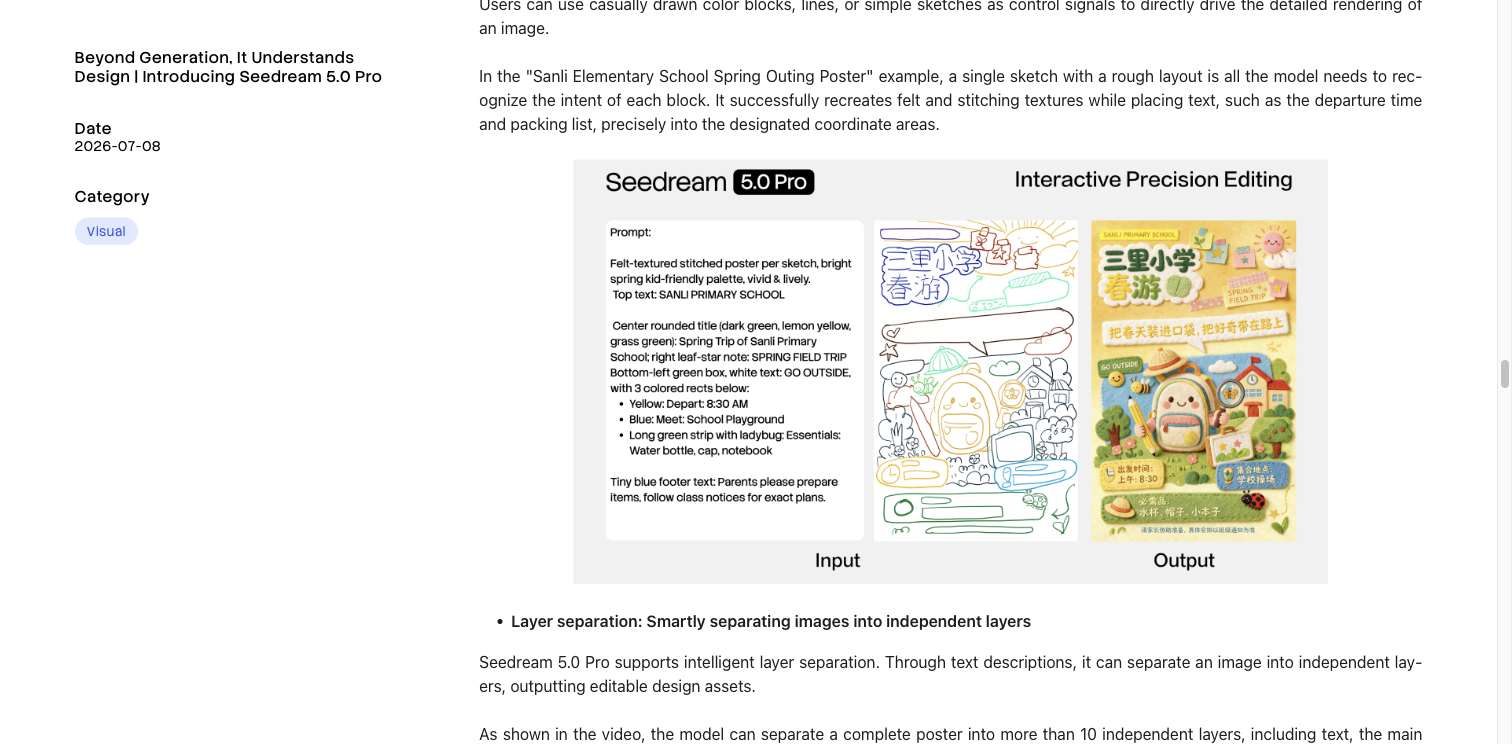
Source: ByteDance Seed, Seedream 5.0 Pro launch article, July 8, 2026; captured October 27. This is a publisher-selected example, not our comparison test.
For your own poster, separate four checks:
| Check | What to inspect |
|---|---|
| Copy accuracy | Every character, price, unit, punctuation mark and date |
| Reading order | Headline first, offer second, conditions and contact details discoverable |
| Local typography | Diacritics, joined scripts, line breaks and punctuation in the actual target language |
| Delivery size | Readability at the final phone-screen or print size, not only when zoomed in |
Supply the final text yourself. Ask the model to reproduce it without inventing a slogan or changing a price. For critical copy, an efficient fallback is to generate the visual with reserved text areas, then typeset the approved wording in a design tool.
A strong layout with one wrong digit is still a failed advertisement. That is the threshold a new model needs to beat.
4. Realism and resolution: will 5.5 make better product images?
Lumina describes improvements in lighting, materials and skin. Those are preview claims; they do not establish a universal winner for every product category.
Judge realism against the job. For a glass bottle, check whether the rim, refraction and shadow agree. For a metal watch, inspect reflections and repeated details. For a portrait, check identity, teeth, hair edges and texture after an edit. A more dramatic image can still be a worse commercial asset if it changes the thing being sold.
Resolution is a separate issue. ModelArk currently lists 1K, 1.5K and 2K for Pro. Its 2K 16:9 example is 2816 × 1584, illustrating why “2K” is a tier rather than a promise about one fixed edge length. We did not verify final public 5.5 API specifications for 4K or every aspect ratio.
Before choosing a model, write down your required pixel dimensions and expected crop. If you need to enlarge an approved image, an AI image upscaler can be a finishing step. Review lettering and fine patterns afterward: more pixels do not repair a wrong logo or an incorrect sentence.
Pricing: compare the cost of a usable result
There is no substantiated 5.5-versus-Pro price ratio yet. Do not assume that 5.5 is cheaper, or that a subscription’s advertised credits are equivalent to direct API prices.
For a concrete baseline, BytePlus ModelArk’s pricing page, updated October 23, lists these Pro API charges in USD:
| Item | Published price |
|---|---|
| Single generated image, up to 2.61 million pixels | $0.045 |
| Single generated image, above 2.61 million pixels | $0.09 |
| Reference inputs | First free; $0.003 for each additional input |
| Layer decomposition output | $0.0225 or $0.045 per returned layer, depending on its pixel tier |
Layer outputs can fall into different tiers within one request. This is the ModelArk schedule for the documented endpoint, not a universal price across regions or an end-user subscription quote.
Example: with three references, a standard single-image request in the lower tier costs $0.045 + 2 × $0.003 = $0.051. Four such successfully generated attempts cost $0.204. If they yield one accepted image, that is its generation cost before manual cleanup. These are calculations, not measured acceptance rates.
For a working comparison, record:
Cost per accepted asset = (generation charges + editing charges + the value of cleanup time) ÷ accepted assets.
A model that costs more per request can be cheaper to deliver with if it reduces rework. The reverse is also possible. Include time to download, inspect, fix and export; the generation spinner is only one part of the job. For use on this site, consult the current plans and credit options separately.
Which model fits your next project?
| Your next deliverable | Practical choice | What would justify moving to 5.5? |
|---|---|---|
| A campaign due this week | Start with Pro and a predictable cleanup process | Confirmed access and better results on your actual revision chain |
| Product cutouts and translucent overlays | Use a working cutout or layer workflow today | Cleaner alpha edges and fewer compositing fixes |
| Localized posters and menus | Pro with supplied copy and native-language review | Fewer character errors at final display size |
| Many rounds of client feedback | Pro with saved checkpoints | More successful edits without breaking approved details |
| Layered handoff to a designer | Check the delivered files and your editor’s import support | Correct separation, useful layer structure and reduced reconstruction work |
| Large-format output | Choose from verified dimensions available today | Confirmed 5.5 dimensions that meet the delivery specification |
If most of your work is single-pass imagery with minimal text, the preview’s most distinctive changes may have less value for you. If your day consists of “keep everything, but change this one thing,” the new version deserves a focused trial when available.
A repeatable comparison you can run with three prompts
Build a small test around your failure cases. Keep the reference files, aspect ratio, intended output size and exact copy constant. Record the model version, platform, settings, time and all attempts. Use three runs per task as a practical first pass; that is a small screening exercise, not a statistical benchmark. Compare at a shared output size first, then test each model’s preferred delivery setting separately.
Prompt 1: preserve a product during a local edit
Use the uploaded product photograph as the source.
Change only the bottle cap from brushed silver to matte black.
Keep the bottle shape, printed label, all lettering, camera angle,
background and original light direction unchanged.
Do not add objects or redesign the product.
Pass condition: the cap changes; the label and all approved product details remain correct. Check the result at 100% zoom and at the actual delivery size.
Prompt 2: create a layout with exact bilingual copy
Design a clean vertical café poster with a clear headline,
one short subtitle and a compact price block.
Render only this exact copy, without translation or added slogans:
春日咖啡 / SPRING COFFEE
拿铁 LATTE ¥28
美式 AMERICANO ¥22
营业时间 08:00–18:00
Use generous spacing and strong contrast. Keep every line readable.
Pass condition: every character, currency symbol and number is correct, and the smallest line is readable in the intended placement. Have a fluent reader check any additional languages you use.
Prompt 3: inspect transparency as a deliverable
Create one translucent amber glass perfume bottle with a plain cap,
no lettering and a soft semi-transparent contact shadow.
Isolate the bottle as a compositing asset with a real transparent background.
No floor, backdrop, checkerboard pattern or surrounding objects.
Pass condition: the downloaded file has actual alpha and composites cleanly over three different backgrounds. Run this text-only test only where direct transparent generation is offered. For Pro’s documented alpha-editing workflow, begin with one alpha-bearing reference image instead and record it as a different workflow test.
Do not award transparency points to a model for painting a checkerboard. Likewise, do not mark an unavailable feature as tested. Record it as unavailable in the selected platform.
Finish with a small scorecard: accepted outputs / attempts, exact-text passes, unwanted changes, cleanup minutes and total cost. The upgrade earns its place when it improves the measures that affect your work.
Common questions
Is Seedream 5.5 better than Seedream 5 Pro?
Its preview suggests improvements in the areas discussed above. A general quality ranking is not established by those demonstrations alone. For immediate delivery, Pro provides a usable baseline; for an upgrade, test the tasks that currently cost you the most revisions.
Does Seedream 5 Pro support transparent backgrounds and layers?
Yes, in documented workflows: layer decomposition and transparent-image editing under specific input and output conditions. Whether a particular website exposes those controls is a separate practical question. Check the export you can actually obtain.
Are 4K output and 100 layers confirmed for Seedream 5.5?
We did not verify those as final public API specifications in the official sources reviewed on October 27. If either is essential, require the current model documentation and a usable exported sample before committing the project.
Can I keep my existing prompts?
Use them as your starting test set, together with the original references and approved outputs. Keep explicit constraints, then retest: prompt compatibility does not mean identical results after a model change.
You can follow our Seedream 5.5 page for updates and explore the Seedream 5.5 topic site for additional creative-workflow context. If you are also choosing across model families, the Seedream 5.0 and Nano Banana Pro comparison covers that broader decision. Start with the deliverable you need, and let preserved details, correct copy and cleanup time determine the upgrade.