

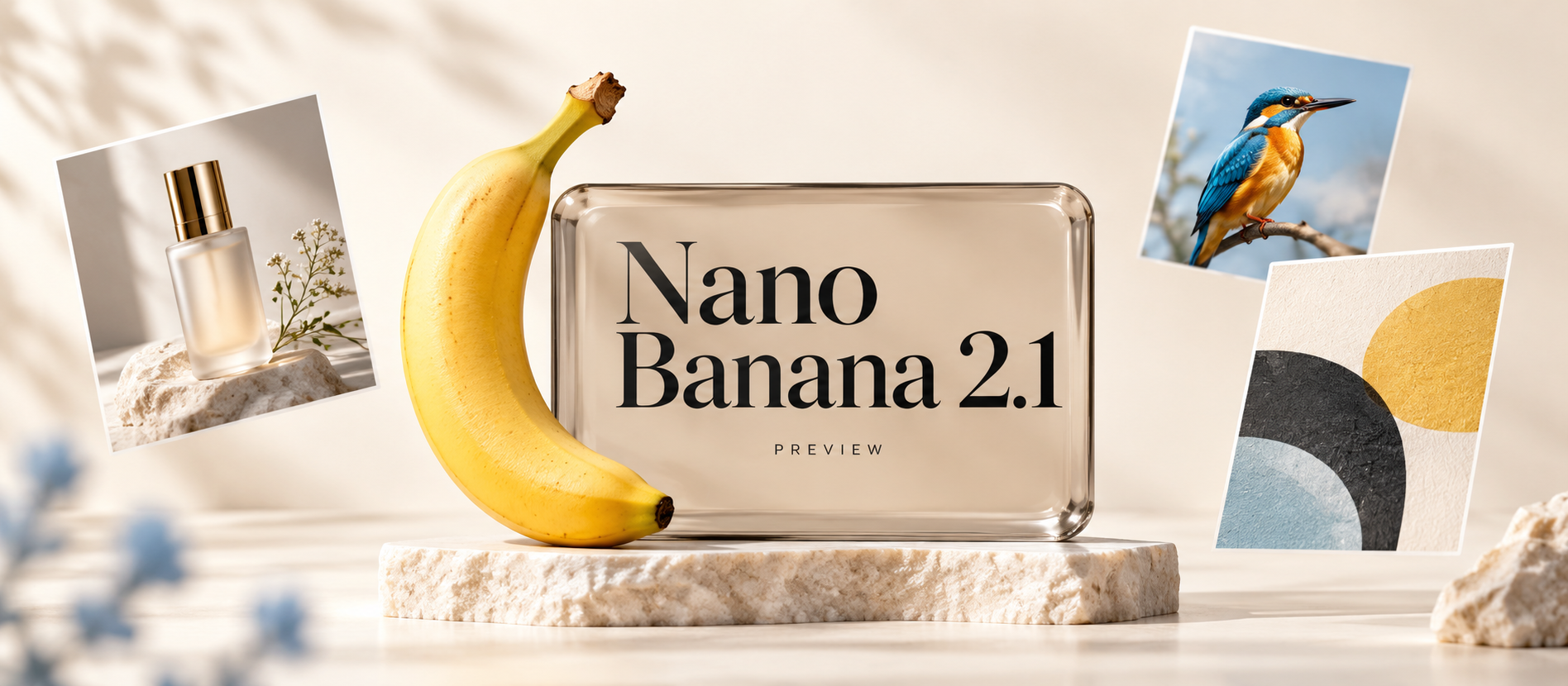
Nano Banana 2.1 has fresh signs of activity. If you use AI for product images, campaign posters, or character storyboards, the next update is worth watching for more reliable product details, correct text, and fewer rounds of editing.
As of October 6, 2026, the public evidence includes a naming change in Flow's web build and social posts showing the interface. Google has not published official 2.1 specifications or a release date. This preview explains the latest signals, five improvements worth hoping for, and practical prompts you can use when the model becomes available.
What is the latest Nano Banana 2.1 news?
The most useful development is that the name has moved from a web-build report to public observations of the interface.
| Date | What happened | What it means for you |
|---|---|---|
| September 27, 2026 | TestingCatalog's Alexey Shabanov reported that a Nano Banana 2.5 Flash label in Flow's web build had changed to Nano Banana 2.1 | 2.1 is a candidate name to watch; the final name remains unconfirmed |
| October 6, 2026 | TestingCatalog posted a Flow screenshot with a 2.1 label on X, while questioning whether requests actually reached a new model | There is a more concrete observation, but it does not establish access for every account or a performance improvement |
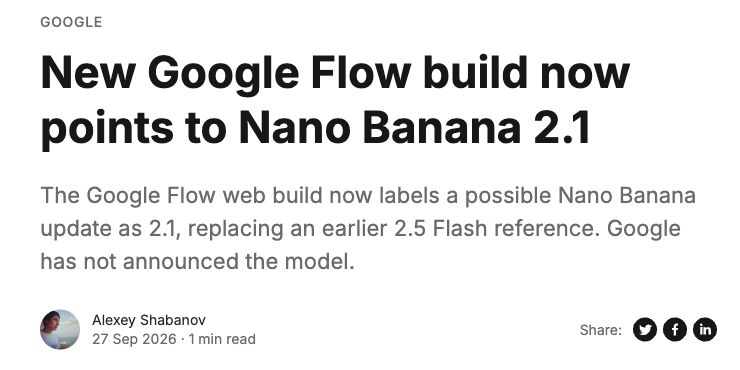
Source: TestingCatalog, Alexey Shabanov, September 27, 2026. Screenshot captured October 6, 2026.
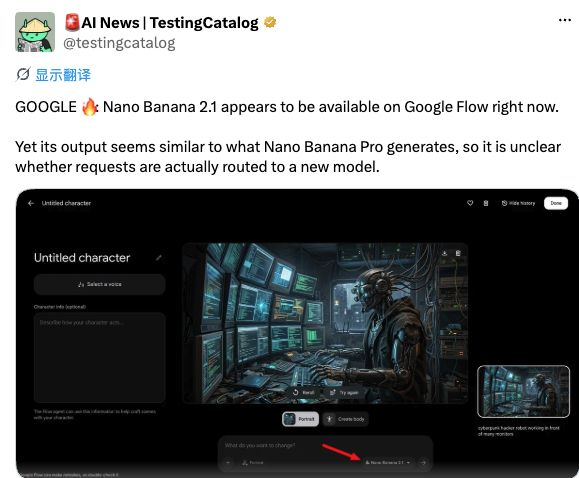
Source: TestingCatalog (@testingcatalog), X, October 6, 2026. The post describes a 2.1 option in Flow but says the output resembles Pro and that the underlying model is unclear.
These are useful signals of a possible update. The next details that would help you decide whether to use it are an official feature description, access information, and reproducible comparisons.
What can Nano Banana 2 already do?
When Google introduced Nano Banana 2 on February 26, 2026, it highlighted text generation and translation, subject consistency, complex instruction following, and output up to 4K. Those capabilities provide the starting point for expectations about another update.
Text generation or 4K support alone would not be a new 2.1 feature. The more useful questions are whether small text becomes more reliable, edits affect fewer unintended areas, and a character or product retains more detail across a series.
You can already create and edit images with Nano Banana 2 and save your regular prompts and reference images. Those real tasks will give you a better basis for comparing a new version than a single selected showcase image.
Five Nano Banana 2.1 improvements worth looking forward to
These are expectations and test ideas based on existing capabilities and practical creative tasks, rather than a confirmed Google feature list. For frequent users, the most valuable gains could be more dependable details and fewer revisions.
1. More accurate poster and packaging text, including small print
A correct headline does not guarantee that prices, dates, or small packaging text are correct. Mixed Chinese and English layouts also need sensible line breaks, punctuation, letterforms, and hierarchy.
An ideal improvement would preserve complete copy more consistently, reducing the time spent repairing lettering. Specify a headline, a subtitle, and a price; check each character and look for unwanted additions.
What to look for: All three text elements are correct and clearly organized. Changing the price in a second edit preserves the headline and layout. You can find more scenarios in the image prompt library and substitute your own brand copy.
2. More precise local edits that preserve the rest of the image
Product edits are often small: change a cap color, replace a background, or remove a prop. If changing the cap also changes the bottle proportions, label, and lighting, the image needs another revision.
One especially useful expectation for 2.1 is a clearer separation between what should change and what should remain. Check the untouched areas as carefully as the requested modification.
What to look for: The cap color changes while the label, bottle outline, camera angle, and shadows remain stable. The product example below gives you a test you can reuse.
3. Better consistency across a product series or character storyboard
An ecommerce series needs the same product; a storyboard needs the same character. Changes to cap geometry, clothing details, or accessory placement can determine whether the images work together.
If the next version preserves reference details more reliably, it could become easier to turn one successful image into a complete set. Use one fixed reference for a studio image, a lifestyle scene, and a close-up, rather than judging a single generation.
What to look for: The setting can change while the subject's identifying features remain consistent. For a storyboard, also check whether two frames could serve as the beginning and end of the same scene.
4. More reliable compositions with several constraints
“Arrange three products from tallest to shortest, leave space for copy on the right, and keep the camera level with the table” contains requirements for quantity, order, negative space, and viewpoint. A beautiful image that misses one may still be unusable for the design.
A worthwhile improvement would complete these tasks more consistently. Replace vague directions such as “premium and elegant” with requirements you can check.
What to look for: The correct number of products, the correct order, and space on the correct side, without an extra object. For an infographic, verify the facts separately; a tidy layout does not establish factual accuracy.
5. Less time and expense to get a usable image
A fast generation that needs five retries may still be a slow workflow. Evaluate speed together with the rate of useful results.
There are no confirmed official figures showing that 2.1 is faster or cheaper. The improvement worth hoping for is a shorter iteration process without sacrificing quality: reaching an acceptable product image sooner or fixing a poster with fewer attempts.
What to look for: Record total task time, generation count, and total usage. Time and credits per usable image usually say more about your workflow than the speed of one request.
Example: test editing and consistency with one skincare product
The three panels below illustrate a proposed test scenario: 01 establishes the reference product, 02 changes the environment, and 03 changes only the cap color. Another image-generation tool created this illustration to explain the task. It is not a Nano Banana 2.1 test result.
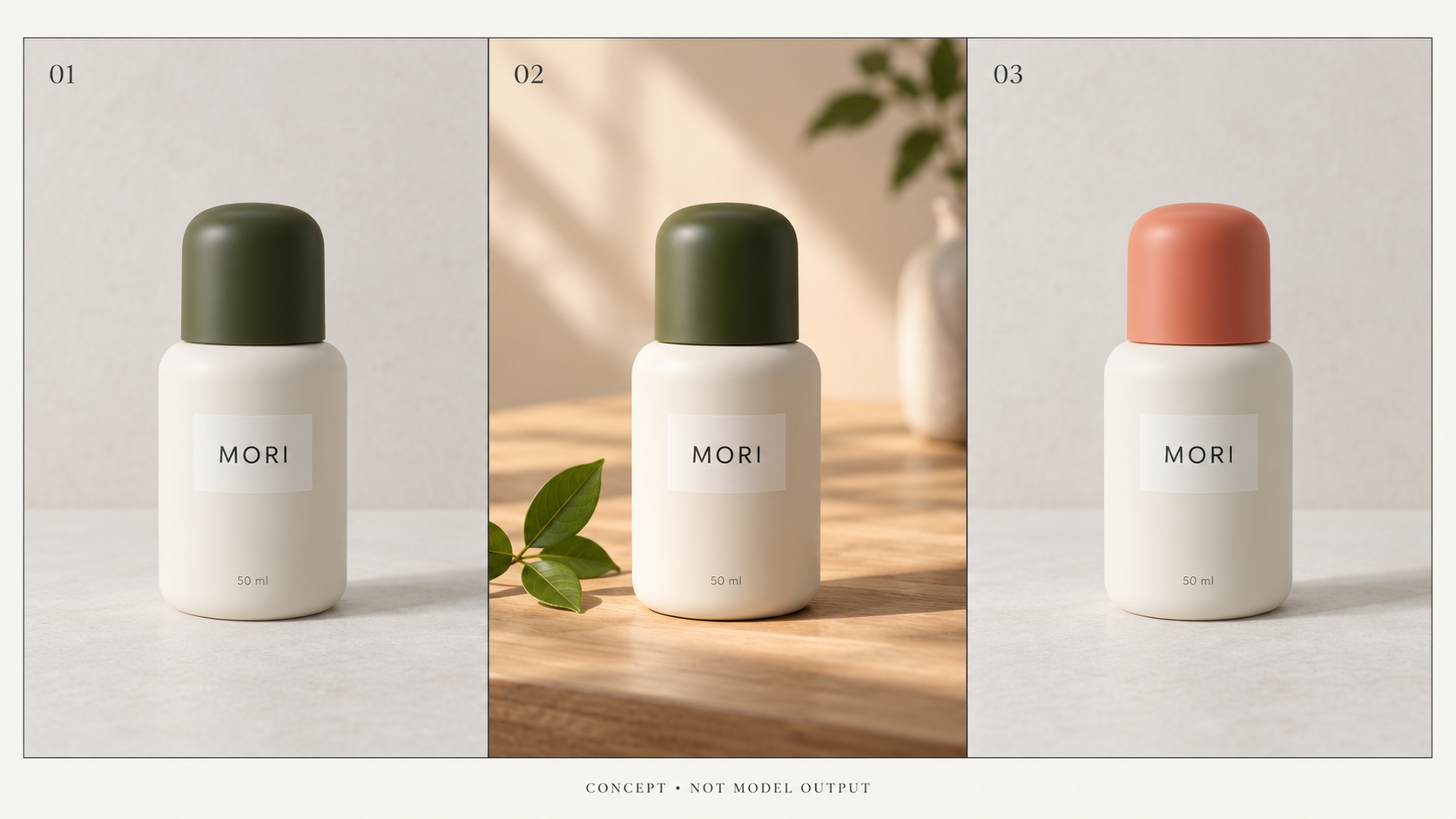
AI-generated concept illustration. Inspect the bottle shape, MORI label, and volume text. Panel 02 allows a new environment; panel 03 asks for a cap-color change only. The legend identifies the image as a concept rather than model output.
Choose a clear product image you have permission to use. In a mode that supports image references, run these two tests separately, starting each from the original reference so that you can assess the edits independently.
Test A: change the environment while preserving the product.
Use the uploaded product image as the reference. Place the same product
on a light wooden table beside one green leaf, with soft morning light.
Preserve the bottle proportions, cap shape, label placement,
the spelling MORI, and the 50 ml volume text.
Do not add another product or redesign the packaging.
Test B: change only the cap color.
Change only the dark green cap in the reference image to coral.
Keep the bottle, label, text, background, camera angle, and shadows unchanged.
Do not add props or redesign the packaging.
For a real product, replace MORI and 50 ml with your actual brand and volume. If the source background is distracting, you can first remove the product image background and use a reference with a clear subject.
Keep every result, including failed attempts. Try each condition at least three times with the same reference, prompt, and comparable output settings. Record the model name, test date, time, and usage. If settings differ between models, note the difference. This is a practical selection exercise, rather than a formal benchmark.
You can also add a sequential editing test: change the background, then the cap, then the composition to portrait, checking whether the subject drifts at each step.
Which model should you use while waiting?
Google's current image-generation documentation positions Nano Banana 2 as the generalist, 2 Lite as the speed-and-cost option, and Pro as the choice for complex visual tasks and precise control. The table turns that positioning into starting points; still try your own task.
| Your current task | A model to try first | What to check |
|---|---|---|
| Everyday product images, reference-based edits, and general creation | Nano Banana 2 | Whether it completes the edit and preserves product details |
| Many concepts and quick exploration of different directions | Nano Banana 2 Lite | Draft speed and usage, and whether refinement is needed |
| Complex brand visuals, multiple constraints, and detailed design | Nano Banana Pro | Whether the detail and control justify the extra investment |
Source: Google AI for Developers, image-generation documentation, checked October 6, 2026. The documentation also says Lite is not optimized for multiple reference inputs or sequential multi-turn editing, so a fast draft should not decide every later editing choice.
If you are deciding between 2 and Lite, read the Nano Banana 2 versus 2 Lite selection guide. First-time users can start with the Nano Banana image generation and editing tutorial.
Questions users are asking
When is the official Nano Banana 2.1 release date?
As of October 6, 2026, the Google sources checked for this article do not provide one. The Flow label and social post are worth following, but they do not establish a date for broad access.
Can I use it in Google Flow or Gemini now?
There are observations of the Flow interface, while continuing availability and eligible accounts remain unconfirmed. Check your account's model menu. If 2.1 is absent, keep using an available model. A name appearing in Flow does not establish simultaneous Gemini access.
Is Nano Banana 2.1 the earlier 2.5 Flash?
TestingCatalog connects the two labels through a naming change. That explains why both names appear in discussions, but it does not confirm the final model identity. The 2.1 label also should not be read as “Gemini 2.1”; the technical name awaits Google's clarification.
Will 2.1 be better than Nano Banana Pro?
There is no sufficient comparison to establish that. Product editing, typography, and complex compositions may have different outcomes and should be tested separately. The similar-looking output described in the social post is an initial impression, rather than a controlled comparison.
Will it support 4K or higher resolution?
The 2.1 resolution limit has not been announced. Google already documents up to 4K for Nano Banana 2, so 4K alone should not be presented as an exclusive new upgrade. If you need a larger image today, you can try upscaling an existing image and inspect the small text and textures afterward.
Will Nano Banana 2.1 be free, and how many credits will it use?
There is no confirmed 2.1-specific price or allowance. Check plans and credits separately for each platform. When using existing models on this site, refer to the displayed task cost before generation and the current plans and pricing.
Can developers call a 2.1 API yet?
At the time of this check, the Gemini API image-generation documentation and release notes do not list a separate 2.1 model ID. There is no confirmed public API route to use. Evaluate migration after an official ID, specifications, and pricing appear.
How to prepare for Nano Banana 2.1
Save a reference image, a poster prompt with exact copy, and a task requiring sequential edits. Establish results with a current model, then compare under the same conditions when a new version becomes available. Focus on text errors, subject changes, and total cost per usable result.
You can also explore image generation and editing ideas on the Nano banana 2.1 website.
Follow the Nano Banana 2.1 updates page for developments. The improvement worth looking forward to is greater reliability on tasks you already do, making it easier to turn a good sample image into a useful set of creative assets.